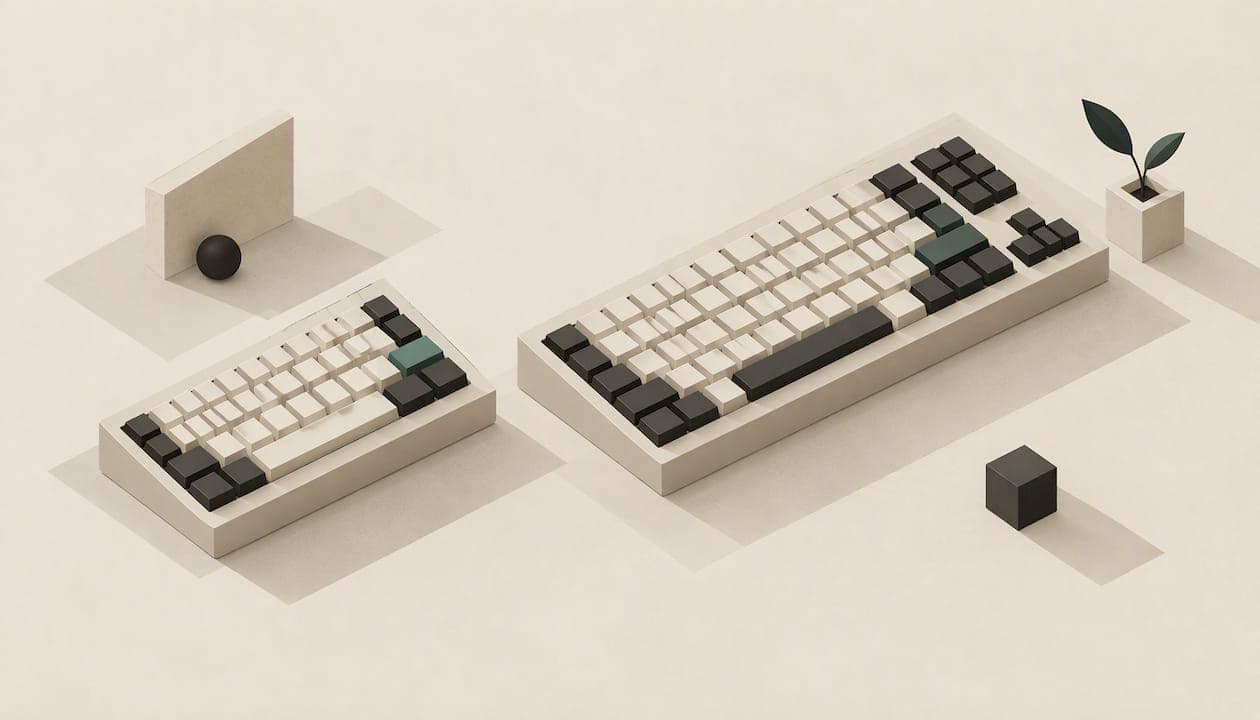
Choose a 60% keyboard if you want the smallest possible footprint and are happy to reach for a function layer to get arrows, F-keys and navigation. Choose a 75% if you want those keys on the surface and can spare about two extra inches of desk width. Most people who type for a living, code, or edit spreadsheets will be happier on a 75% or its in-between cousin, the 65%. People who prioritise mouse room, travel, or a very clean desk will be happy on a 60%.
The rest of this guide shows you how to decide, with real dimensions, key counts and the pitfalls nobody mentions until the box arrives.
TL;DR
- A 60% board has roughly 61 keys and no arrows, function row or navigation cluster. A 75% has roughly 82 to 84 keys and keeps the F-row and arrows.
- The footprint difference is small: about 292 mm x 108 mm for a 60% versus about 318 mm x 127 mm for a 75%.
- If you use arrows, Home, End or F-keys daily, a 60% will cost you in extra key chords. If you don't, the 60% saves space and costs nothing.
- A 65% (about 68 keys) is the compromise: arrows without the F-row.
- Check the exact layout and keycap compatibility before you buy. Percentages are naming habits, not standards.
Table of Contents
- What the percentages actually mean
- Side-by-side: 60% vs 75%
- Desk space: how much do you really save?
- The real cost of a 60%: function layers
- Why people choose 75%
- And what about 65%?
- Typing, coding, gaming: what suits whom
- Pitfalls to check before you buy
- Our perspective: size is only half the question
- If you want something other than a standard 60% or 75%
- A simple decision path
- Quick verdicts
- FAQ
- Sources
What the percentages actually mean
The numbers describe how much of a full-size keyboard a layout keeps, loosely. They are not measurements. Keyboard percentages are naming conventions, not standardized measurements, which is why two "75%" boards from different makers can differ by a couple of keys.
For reference, a full-size board has 104 keys, a tenkeyless (TKL) has 87, a 75% has 84, a 65% has 68, and a 60% has around 61, according to this size breakdown. The ladder runs like this:
- Full-size: everything, including the number pad.
- TKL: drops the number pad.
- 75%: squeezes the navigation column in beside the arrows and keeps the F-row.
- 65%: drops the F-row, keeps arrows and a few navigation keys.
- 60%: drops arrows, navigation and F-row entirely.
So "60 vs 75" is really a question about how many of those extra keys you want physically in front of you, and how many you are willing to summon with a modifier key.
Side-by-side: 60% vs 75%
| 60% | 75% | |
|---|---|---|
| Typical key count | About 61 | About 82 to 84 |
| Approximate size | 292 mm x 108 mm (about 11.5 in x 4.25 in) | 318 mm x 127 mm (about 12.5 in x 5 in) |
| F-row (F1 to F12) | No, on a function layer | Yes |
| Arrow keys | No, on a function layer | Yes |
| Navigation (Delete, Home, End, Page Up/Down) | On a function layer | Compressed column on the right |
| Learning curve | Steep if you come from full-size | Gentle |
| Keycap sourcing | Easy | Can be fiddly |
Size figures and key counts come from this size guide. Treat them as typical, not exact: your board's spec sheet is the final word.
Desk space: how much do you really save?
Less than the marketing suggests. On the figures above, a 75% is about 26 mm wider and about 19 mm deeper than a 60%. That is roughly an inch of width and under an inch of depth. Another review puts it as a 75% taking barely two inches more desk width than a 60% in its comparison of sizes; measure your own candidates, because layouts vary.
Where does a 60% still win? Three situations:
- Low-sensitivity mouse users. If you sweep your arm across the desk, every centimetre of keyboard you remove is a centimetre of mouse travel gained. Gamers on low DPI settings feel this.
- Small or shared desks. A laptop stand, a drawer, a coffee table.
- Portability. A 60% slides into a bag much more easily.
If none of those describes you, the saving is mostly aesthetic.
The real cost of a 60%: function layers
A 60% doesn't delete the arrows, it hides them. You hold a function key and press another key to get an arrow, F5, or Page Down. This is where the choice stops being about size and starts being about habits.
Enthusiast commentary summarised in one keyboard size guide frames it as "input friction": how much effort you will tolerate for everyday actions like refreshing a page or moving through text. Chording those actions all day can become tiring if you aren't already comfortable with programmable firmware.
Try this quick audit. For one working day, tally how often you use:
- Arrow keys (editing text, spreadsheet cells, game menus)
- Home and End (jumping to line starts and ends)
- F2 (rename or edit a cell), F5 (refresh), F11 (full screen), F12 (developer tools)
- Page Up and Page Down
If the total runs into the hundreds, a 60% will feel like a tax. If it's a handful, you won't miss them. One programmer-focused roundup describes the 61-key format as a minimalist build with function layers for everything, great for clean desks and a poor fit for workflows that need dedicated arrows or navigation keys without a mode switch.
Why people choose 75%
A 75% keeps the layout familiar. Its key density echoes a laptop's, and the 75% has become a popular productivity-focused compact board for exactly that reason. You get:
- A full function row. Useful for coding, spreadsheets, video-conferencing shortcuts and games that bind actions to F-keys.
- Dedicated arrows. Constantly useful, even if you never think about it.
- A navigation column. Delete, Home, End and Page Up/Down are within reach.
- No new muscle memory. If you switch from a laptop or full-size board, you adapt in an afternoon rather than a fortnight.
The trade-off is a denser right side. Arrow keys sit close to the main block, and that closeness can cause errors.
Exploded vs compact 75%
There are two flavours of 75%. A compact one has no gaps between clusters. An exploded one leaves small gaps between the main block, the arrows and the navigation column. Practitioners quoted in the same size guide say many modern enthusiasts prefer exploded layouts because they feel less cramped, while strictly compact designs can cause accidental key presses since the blocks run together.

That difference also explains why key counts vary from 82 to 84. Check which style you are buying before you click.
And what about 65%?
Searches for "65 vs 75" are even more common than "60 vs 75", and for good reason: the 65% is the middle rung. It has about 68 keys, keeps dedicated arrows and a few navigation keys, and drops the F-row. One comparison puts it simply: the 65% vs 75% decision comes down to whether you press F-keys often enough to want them physical, since both keep arrows and a right-hand nav column.
A 65% layout has essentially the same layout as most laptop keyboards: letters, numbers, modifiers, dedicated arrows and a few navigation keys, with lesser-used keys moved to a layer. That article dates from 2018, but the layout logic holds.
A quick rule of thumb:
- Never touch F-keys, need arrows: 65%.
- Use F-keys regularly: 75%.
- Rarely use either and want the smallest board: 60%.
Typing, coding, gaming: what suits whom
Writers and office workers
You live in arrows, Home, End and Delete. A 75% or 65% is the comfortable choice. A 60% works if you're a touch typist who edits by mouse, but expect to feel it.
Programmers
F-keys matter in debuggers and IDEs (stepping, renaming, running). A 75% fits most developers, and the 60% suits those who remap everything and enjoy it.
Gamers
Most games need WASD, a few modifiers, and a number row. A 60% gives you mouse room; a 75% gives you function keys for the odd title that wants them. For competitive shooters at low sensitivity, the space gain on a 60% is genuinely useful.
Travellers and minimalists
A 60% in a laptop sleeve is hard to beat.
Pitfalls to check before you buy
Keycap compatibility. This catches beginners. Many 75% layouts need non-standard key sizes, such as smaller right-hand shifts or specialised bottom-row keys, that budget keycap sets don't include. A 60% is the easy format for custom keycaps. If you plan to swap caps, check the layout against the keycap set's kit list first.
Exploded vs compact. As above: confirm which style, and where Delete, Home and Page Up/Down sit. Buyers commonly wish they had verified it first.
Firmware. If you pick a 60%, make sure you can see and change what the function layer does. Ideally you want to put arrows where your hands expect them.
Switch feel matters more than size. A well-chosen board in the wrong size can be fixed with a layer. A switch you dislike cannot. Try to understand switch type and travel before layout.
For general buying advice on switch types and sizes, Wirecutter's guide is a solid primer, though dated 2019.

Our perspective: size is only half the question
We build keyboards, so we see this debate from the other side of the bench. The 60 versus 75 argument assumes that the standard staggered grid is a given and the only variable is how many keys to cut. We think that framing misses something.
On a conventional board, every row is offset from the one above, so your fingers travel diagonally to reach the same column. KeBe uses a straight-column, ortholinear grid with the Matrix-Dvorak layout and hand-centred letter placement, designed to minimise finger movement. Our KeBe v1 page lists a 68-key board, which is the same key count as the 65% class described above. That means you keep a compact footprint without losing the keys you reach for most.
Our view, in short:
- Decide what you reach for daily before you decide how many keys to cut. Arrows, navigation and function keys should be one press away if you use them constantly.
- Fatigue comes from repeated awkward reaches, not just from board width. Column layout and letter placement matter as much as the percentage.
- Hot-swappable switches are a safety net. If you are unsure about a size or a switch, being able to change switches without soldering lowers the risk of a wrong first guess.
- A layout change is a commitment. If you want to try Dvorak, practise first with a trainer before you move your whole workday.
If you're coming from a standard board, expect to adapt. That's normal for any layout change, ours included.
— Joshua
If you want something other than a standard 60% or 75%
If the 60 versus 75 choice leaves you wanting something in between, with arrows within reach but a small footprint, look at our range. KeBe v2 is a mechanical, low-profile ortholinear keyboard, and our range also includes hot-swappable switches, per-key RGB lighting, an integrated USB-C hub, a screwless nylon case, a typing trainer and autocorrect, with dual-spacebar designs. Every keyboard is assembled by hand in Canada. Details are on the KeBe v2 page, and you can see current availability, including pre-orders, in the KeBe Canadian store. A slim membrane model, KeBe Lite, is listed as planned.
New to Dvorak? Try the free Dvorak typing trainer first, which teaches one letter at a time, so you can judge the layout before you commit to hardware.
A simple decision path
- Count your daily key use. Arrows, Home, End, F-keys. Lots means 75% or 65%.
- Check your desk. If the extra inch matters, or your mouse needs sweeping room, lean 60% or 65%.
- Check your keycap plans. Custom keycaps with a tight budget favour 60%. A 75% needs a compatible kit.
- Pick exploded or compact if you go 75%. Exploded is easier to feel by touch.
- Choose hot-swap if you can. It lets you correct a switch mistake cheaply.
- Give yourself two weeks. Any new layout feels wrong for the first days. Judge after fourteen.
Quick verdicts
- Switching from a laptop or full-size board: 75%, or 65% if you never use F-keys.
- Desk-space maximiser: 60%, once you have a function layer you trust.
- Coder: 75%.
- Competitive gamer: 60% for mouse space, 75% if your games use F-keys.
- Custom keycap collector: 60% for easy sourcing; check kits carefully for 75%.
- Someone with typing fatigue: look beyond the percentage and consider a straight-column, hand-centred layout.
FAQ
What do the percentages mean for keyboards?
They describe roughly how much of a full-size 104-key board a layout keeps. They are naming conventions rather than measurements, so key counts vary by maker. As a guide, 60% is around 61 keys and 75% is around 82 to 84.
Are 60% keyboards good?
Yes, for the right user. They offer the smallest footprint and easy keycap sourcing. The catch is that arrows, F-keys and navigation sit on a function layer, which can slow down anyone who uses them all day.
Why do people use 75% keyboards?
They keep a full function row, dedicated arrows and a compact navigation column in a small body. That makes them feel familiar to laptop and full-size users while still saving desk width over a TKL.
Is a 75% much bigger than a 60%?
Not by much. On typical dimensions it is about an inch wider and a little under an inch deeper. Measure the specific boards you are considering, since exploded and compact layouts differ.
Should I choose 65% instead?
If you want dedicated arrows but rarely touch F-keys, yes. A 65% has about 68 keys, sits between the two, and is the most common answer to "60 or 75?"
Sources
- Mechanical Keyboard Sizes: Compare 60%, 65%, 75%, TKL, and Full Size
- Best Mechanical Keyboards for Programmers (2026)
- Why I Love Compact Mechanical Keyboards and You Will Too, Wirecutter
- 65% vs 75% Keyboard: F-Row, Size and Which to Choose
- How to Shop for a Mechanical Keyboard, Wirecutter
- Different Keyboard Sizes Explained, RTINGS.com