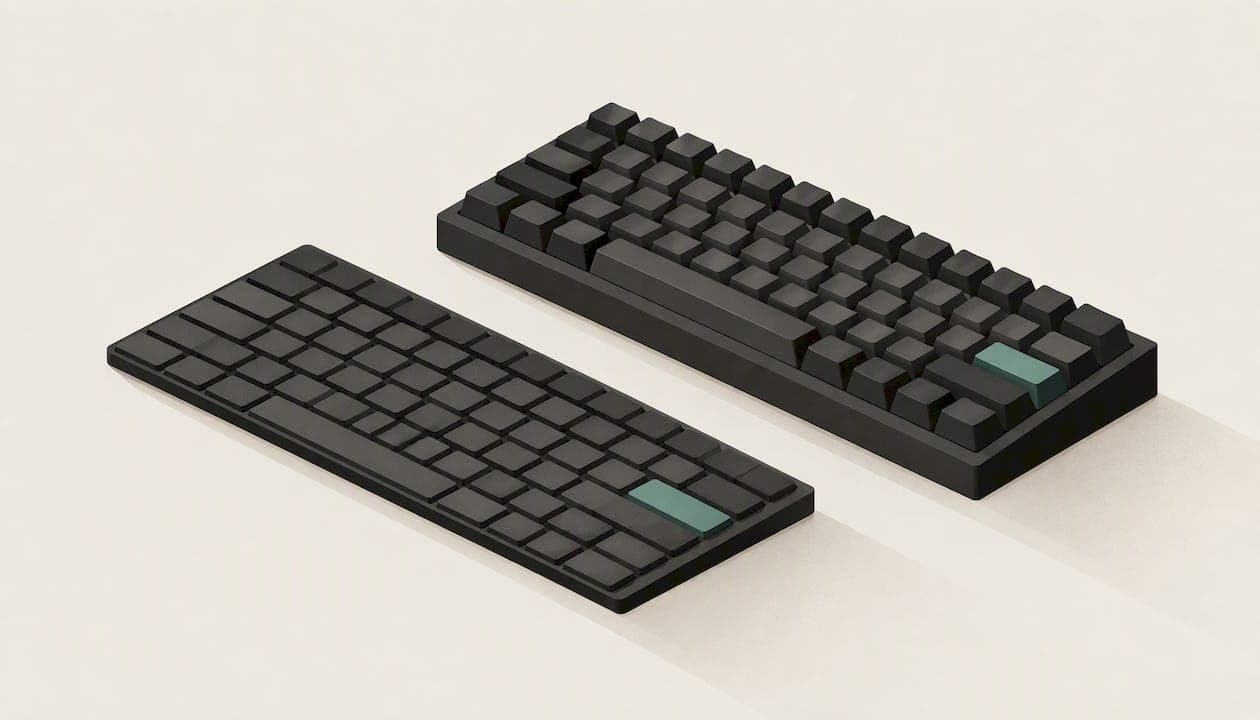
A low profile keyboard has shorter keys, shallower switches and a slimmer body than a standard mechanical or desktop board. That changes how far your fingers travel, how your wrists sit and how much desk space the board takes. For most people who type all day, it is a comfortable and fast way to work, provided you give yourself a short adjustment period. For gamers, the answer depends on the switch type. This guide explains the differences, what the research says, and how to choose.
TL;DR
- A low profile keyboard uses shorter switches and keycaps, so the whole board sits closer to the desk and your hands stay flatter.
- In one comparative text entry study, low profile boards gave about 12% faster typing than high profile ones, with no significant difference in errors.
- Expect a short adjustment period. Research on ultra-flat boards suggests speed and accuracy can dip at first.
- Key travel matters as much as height: very shallow travel tends to feel worse than a moderate one.
- Layout also shapes comfort. Our KeBe v2 pairs low profile switches with an ortholinear Matrix-Dvorak layout.
Table of Contents
- What "low profile" actually means
- Low profile vs normal keyboards
- Does a low profile keyboard help you type faster?
- How much key travel is enough?
- Comfort: what low profile does and does not fix
- Low profile keyboards for typing
- Low profile keyboards for gaming
- Layout matters as much as height
- Our perspective
- Where KeBe fits
- How to choose: a short checklist
- Getting used to a low profile board
- FAQ
- Sources
What "low profile" actually means
In a standard mechanical keyboard, the switch stem, housing and keycap stack up to a tall key. Low profile designs shorten each part. The keycap sits closer to the plate, the switch is shorter, and the actuation point comes sooner in the press. The result is a board that is closer in feel to a laptop keyboard, but with individual switches, firmer feedback and usually a sturdier build.
Three things change together:
- Height. The board and keycaps are thinner, so your hands rest at a flatter angle.
- Key travel. The distance a key moves from rest to bottom is shorter, which means less finger motion per keystroke.
- Feel and sound. Shorter switches usually sound higher and snappier than tall ones. The specific tone depends on the switch design and the case.
Low profile boards also tend to come in the same sizes as any other keyboard. A roundup of the reasons to switch points out that they are available in every form factor, are lighter, and often offer wireless connectivity.
Low profile vs normal keyboards
The difference is easiest to see side by side. The table compares typical traits, not any single product.
| Trait | Low profile | Standard (high profile) |
|---|---|---|
| Board and keycap height | Thin, close to the desk | Taller, often needs a wrist rest |
| Key travel | Shorter | Longer, with more "depth" to each press |
| Wrist posture | Flatter, less wrist extension | Often tilted up, especially with feet extended |
| Portability | Lighter and slimmer | Bulkier |
| Customization | Fewer keycap and switch options | Very wide choice |
| Learning curve | Short adjustment if you come from tall keys | None if you already use them |
The customization row is the honest trade-off. Standard boards have decades of keycap sets and switch types behind them. Low profile ecosystems are smaller, though they have grown quickly. If you enjoy swapping parts, check what the specific board supports before you buy.
Does a low profile keyboard help you type faster?
The best evidence we can point to is a comparative study of low profile and high profile keyboards. It found that low profile boards produced an average of 12% faster text entry, and no significant difference in error rates. That is one study, with its own participants and setup, so treat it as a sign of what is possible and not a promise of what you will get.
The other side of the picture is the learning period. Ergonomics research on very thin keyboards, including a study of wrist posture and typing performance, found that ultra-flat designs can help you spend more time in a neutral wrist posture, but typing speed and accuracy may start lower than on a conventional board until you have practised. That study looked at an unusual multitouch design, so it is not a direct test of mechanical low profile boards. The practical takeaway is mild: plan on a week or two of slightly slower typing, and do not judge the board in the first afternoon.

How much key travel is enough?
Shorter is not always better. A human factors study on low profile keyboard design found that users preferred keyboards with about 1.6 mm of key travel for both productivity and comfort. Performance dropped significantly when travel fell to 0.4 mm or less.

That gives you a useful rule when you compare boards. Look for the travel figure on the spec sheet. A moderate, clearly felt press tends to suit typing better than a nearly flat one. If a product does not publish its travel, that is worth asking about before you order.
Comfort: what low profile does and does not fix
The usual claim is that low profile boards are easier on the wrists. There is a reasonable logic behind it: with less height at the front edge of the keyboard, you do not need to bend your wrists upward as much. An overview of the best boards makes the same point, saying the short travel and slim form factor are easy on wrists and fingers.
But height is only one part of ergonomics. Three other things matter just as much:
- Finger movement. On a conventional staggered layout, your fingers reach diagonally across rows. That extra reach is a separate source of strain, and a thinner board does not change it.
- Desk setup. Chair height, desk height and the angle of your forearms decide whether your wrists stay neutral.
- Breaks. No keyboard replaces regular rests. If you have persistent pain, numbness or tingling in your hands or wrists, see a physician or an occupational therapist before assuming a new keyboard will solve it.
Low profile keyboards for typing
If typing is the main job, prioritize these, in roughly this order:
- A layout you can live with. Full-size, tenkeyless and compact boards all come in low profile. Choose by whether you need a number pad, and how much desk space you have.
- Key travel around the moderate range. See the section above.
- A feel you like. Tactile switches give a small bump that confirms the press. Linear switches are smooth. Neither is correct for everyone. If you cannot try a board in person, look for return terms before you commit.
- Stable construction. A flat board should not flex or rattle when you type with force.
- Connectivity that fits your desk. Wired boards avoid battery management. Wireless ones reduce cable clutter.
As a rule, when you move to a low profile board from a tall one, give yourself time. Spend short sessions on it, use a typing trainer, and keep your old board nearby for the first few days if you have deadlines.
Low profile keyboards for gaming
Gamers care about response time and how reliably the board registers fast inputs. Shorter travel means a key reaches its actuation point sooner, which many players like for rapid repeated presses. Some newer low profile boards use magnetic (Hall effect) switches, which let you adjust the actuation point. If that appeals to you, one guide to magnetic low profile boards advises checking for Rapid Trigger support and customizable actuation points, because they can be inconsistently implemented in some newer, less refined models.
A few other points for gamers:
- Very short travel can lead to accidental presses if you rest your fingers on the keys.
- Check how the board connects. Wired is the safest option for competitive play.
- Keycap and switch choice is narrower than on standard boards, so look at what the specific board can swap.
Layout matters as much as height
Most keyboard talk stops at switches and keycaps. The arrangement of the keys is the other big factor in how much your fingers move. The usual QWERTY layout puts the most-used letters in awkward places, and the rows are staggered, a holdover from typewriter mechanics.
Ortholinear boards line the keys up in straight columns instead. Dvorak layouts reposition the letters so the most common ones sit on the home row. Combining the two is the idea behind the Matrix-Dvorak layout we build around. It is designed to reduce finger movement, and it is the reason our boards look different from the usual slab of staggered keys.
A different layout is a bigger change than a different height. If you are curious, our free Dvorak typing trainer teaches one letter at a time, so you can try it before you spend anything.
Our perspective
We started from a simple observation: tall keys and diagonal reaches both ask your hands to do more work than they need to. Low profile switches address the first. A straight-column grid and hand-centered letter placement address the second. Either change on its own helps, and together they are what we mean by an ergonomic keyboard.
That is why the KeBe v2 is a mechanical, low profile, ortholinear board. It has hot-swappable switches, per-key RGB lighting, integrated USB-C ports and a hub, a screwless nylon case, a dual-spacebar design and autocorrect for typos. Each of those choices serves the same goal: fewer wasted movements, whether you type reports all day or play fast games.
We will also be honest about what a change like this costs you. Moving to a new layout means a few weeks of slower typing while your hands learn it. We built the typing trainer so that period is short and structured, instead of frustrating. If you only want a thinner QWERTY board, many products will do that, and you should pick on switch feel and travel. If you want to rethink how your hands move, that is where we think our boards stand apart.
— Joshua
Where KeBe fits
The KeBe v2 is our mechanical low profile model, with the ortholinear Matrix-Dvorak layout described above. You can read the full specification on the KeBe v2 page. The KeBe Lite is a planned slim membrane model, and you can see what we have said about it on the KeBe Lite page. Our keyboards are assembled by hand in Canada, and pre-orders and a waitlist for upcoming models are available through our Canadian store, where you can also see current availability and pricing.
How to choose: a short checklist
Before buying any low profile board, run through these questions:
- What is the main use? Writing and office work reward comfort and travel. Gaming rewards response and switch options.
- Do I need a number pad? If not, a smaller board saves desk space and shortens the reach to your mouse.
- Am I willing to learn a new layout? If yes, an ortholinear Dvorak board is worth a serious look. If not, stay with a conventional layout.
- How do I want it to connect? Wired, wireless, or both.
- How much do I want to customize? Hot-swappable switches and per-key lighting give you room to adjust the board after you buy it.
- What is the return policy? Feel is personal, so know your options before you pay.
Getting used to a low profile board
Most of the frustration people report in the first days comes from the same few habits:
- Resting fingers on the keys. On tall boards this is safe. On shallow ones it can trigger presses. Hover instead.
- Bottoming out hard. Short travel means you hit the bottom sooner. Ease off the force and your fingers will tire less.
- Judging too soon. The research suggests speed and accuracy can dip before they recover, so give it a couple of weeks of regular use.
- Skipping practice. Ten minutes of deliberate typing practice each day shortens the transition more than hours of ordinary work.
If you are also switching layouts, change one thing at a time where you can. Learn the new layout on the trainer first, then bring it to your daily work once you can type at a comfortable pace.
FAQ
What does it mean if a keyboard is low profile?
It means the keys, switches and body are shorter than on a standard keyboard. Key travel is usually shorter too. The board sits closer to the desk and feels closer to a laptop keyboard, but often with mechanical switches.
Are low profile keyboards good for typing?
For most people, yes, after a short adjustment. One comparative study found about 12% faster text entry on low profile boards than on high profile ones, with no significant change in errors. Choose a board with moderate key travel, and give yourself a couple of weeks to adapt.
Are low profile keyboards better for your wrists?
They can help, because a flatter board means less upward bend at the wrist. But comfort also depends on your desk and chair setup, how far your fingers have to reach and how often you take breaks. If you have ongoing pain or numbness, see a physician or occupational therapist.
Can I use a low profile keyboard for gaming?
Yes. Shorter travel reaches the actuation point faster, which many players prefer. If you want magnetic switches, check for adjustable actuation and Rapid Trigger support, and choose a wired connection for competitive play.
Sources
- A comparative study of text entry performance of low-profile versus high-profile keyboards (ACM)
- Low Profile Keyboard Design (SAGE Journals)
- Effects of a Multitouch Keyboard on Wrist Posture, Typing Performance and Comfort
- 10 Reasons You Need a Low-Profile Mechanical Keyboard (How-To Geek)
- Best low-profile mechanical keyboards in 2025 (XDA Developers)
- 10 Best Low Profile Hall Effect Keyboards for Gaming 2026 (Dejaflow)