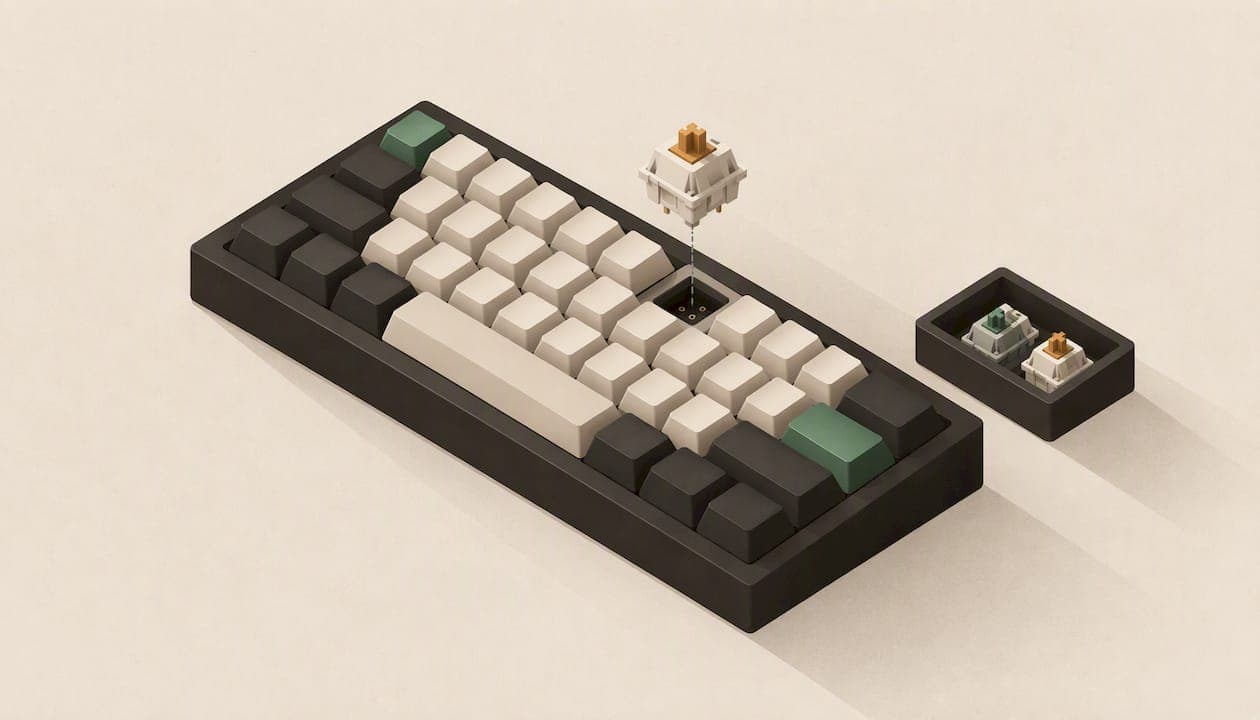
A hot-swappable keyboard lets you pull out a mechanical switch and push in a different one without a soldering iron. The circuit board has sockets instead of solder joints, so changing how your keyboard feels, sounds or looks takes a keycap puller, a switch puller and a few minutes. This guide covers how it works, how it compares with a soldered board, the socket details that decide whether a board is truly flexible, and how to pick one.
TL;DR
- Hot-swap boards use PCB sockets that grip the switch pins, so you can change switches without soldering. Industry guides put a full swap at roughly 15 to 20 minutes.
- "Hot-swappable" is a spectrum. Check the socket type (3-pin or 5-pin) and whether the board takes standard MX-style switches or only a proprietary low-profile type.
- Sockets wear out. Pull switches straight up and gently, and don't swap constantly for no reason.
- Hot-swap is about customization and repair. It will not fix a poor desk setup.
- Soldered boards still make sense if you want a fixed, low-maintenance keyboard and never plan to change switches.
Table of Contents
- What hot-swappable actually means
- Hot-swap vs soldered: how they compare
- Are hot-swappable keyboards good?
- The details that decide how flexible a board really is
- How to choose one: a short checklist
- What the ergonomics research says
- Our perspective on hot-swap
- KeBe keyboards for people who want to customize
- Who should skip hot-swap
- Looking after your sockets
- FAQ
- Sources
What hot-swappable actually means
On a traditional mechanical keyboard, each switch has metal pins that go through holes in the circuit board and are soldered in place. To change one, you need a soldering iron, a desoldering tool and some patience. Get it wrong and you can damage the board.
A hot-swappable board replaces those holes and solder joints with small sockets. According to a hot-swappable keyboard guide, these sockets use spring-loaded contacts that grip the switch pins, so a switch can come out and a new one can go in with no soldering at all.
The practical sequence is simple:
- Pull the keycap off with a keycap puller.
- Grip the switch with a switch puller and lift it straight up.
- Line up the new switch's pins with the socket and press it in until it seats.
- Put the keycap back and test the key.
The first switch is slow. After that it goes quickly. PCWorld's explainer describes the appeal as customizability and easier maintenance, and that matches how people use these boards in practice.
Hot-swap vs soldered: how they compare
Both types can be excellent keyboards. The difference is what happens after you buy.
| Hot-swappable | Soldered | |
|---|---|---|
| Changing a switch | Pull and replace, no tools beyond pullers | Needs desoldering and resoldering |
| Fixing one failed key | Swap that switch only | Desolder the faulty switch, or live with it |
| Trying new switch types | Easy, you can mix types on one board | Practical only if you are comfortable soldering |
| Mechanical connection | Held by socket tension | Fixed by solder joints |
| Long-term wear | Sockets are finite and can loosen with repeated swaps | Solder joints are very durable if made well |
| Best for | Tinkerers, first-time customizers, people who want repairs without tools | Buyers who settle on a switch and never touch it |
The honest trade-off: soldering gives a very secure connection, and sockets add a small point of wear. For most people the flexibility wins. If you buy a keyboard and discover after two weeks that the switches are heavier or louder than you like, a soldered board leaves you stuck. A hot-swap board lets you fix that for the price of a new set of switches.
Are hot-swappable keyboards good?
Yes, with caveats worth knowing before you buy.
The real value is long-term. Reviewers and researchers who look at the topic, including the experts PCWorld cites, frame hot-swapping as a way to customize and maintain a keyboard, not as a magic ergonomic cure. You get a keyboard you can tune: lighter or heavier springs, quieter or clickier switches, a different feel on your most-used keys.
The caveats:
- Sockets are not forever. The same guide warns that repeated aggressive swapping can damage the spring contacts or loosen the socket from the board. Straight, gentle vertical pressure is the rule.
- Not every board is equally open. More on that below.
- A new switch is not a new workstation. If your wrists hurt, the switch is rarely the first thing to look at.
The details that decide how flexible a board really is
3-pin vs 5-pin sockets
Most enthusiast switches have five pins: two electrical pins and a plastic plate with extra alignment legs. Some boards have sockets built for only the three-pin layout. A review of hot-swap boards explains that on a 3-pin board you must clip the plastic legs off five-pin switches with flush cutters, which is tedious and cannot be undone. A 5-pin board accepts both types as they come.

One 2026 buyer's guide calls 5-pin sockets a form of future-proofing, because they allow the widest range of switch experiments without modifying anything.
MX-style vs low-profile switches
This is the catch that surprises people. A "hot-swappable" label does not guarantee that standard MX-style switches fit. The same guide notes that magnetic (hall-effect) and low-profile boards often use proprietary sockets that are not cross-compatible with standard mechanical switches. Before you buy replacement switches, confirm which switch family the board supports.
If low-profile is what you are after, our guide to low profile keyboards explains who they suit and what you give up in key travel.
What else to check
- Switch pullers and keycap pullers. Some boards ship with them. If not, they are inexpensive.
- Lighting. Per-key RGB is common on hot-swap boards, and it only works well if the sockets and PCB are designed for it.
- Layout and size. A hot-swap board in a layout you can't live with is no bargain. See 60% vs 75% keyboards for how size changes the way you type.
- Mechanical vs membrane. Hot-swapping is a mechanical-switch feature. If you are still deciding, read mechanical vs membrane keyboards first.
How to choose one: a short checklist
Work through these in order. Most people can narrow the field to a handful of boards in ten minutes.
- Decide on the switch family. Standard MX-style gives you the biggest choice of aftermarket switches. Low-profile gives you a slimmer board and a shorter keystroke but a smaller pool of replacements.
- Confirm the socket. Look for 5-pin if you want to try anything. If a listing doesn't say, ask the seller or skip it.
- Pick a size and layout you will actually use. Think about your number pad, arrow keys and function row.
- Check how the board connects. Wired USB-C is the simplest and avoids latency and battery questions. If you want extra ports, an integrated hub saves cable clutter.
- Look at the case and build. A screwless or well-assembled case makes opening the board for maintenance easier.
- Plan for the first swap. Get a switch puller, a keycap puller and a small set of different switches before changing the whole board.
A sensible way to experiment
Don't replace every switch on day one. Buy a small sample pack, swap a handful of keys in your home row and the keys you press most, and type with them for a few days. You will quickly learn whether you prefer lighter or heavier force, linear or tactile. If you dislike the result, switch back. That reversibility is the whole point.
What the ergonomics research says
It is tempting to assume that a more customizable keyboard is automatically more comfortable. The evidence is more modest.
A NIOSH study of conventional and ultra-low travel keyboards compared typing forces, muscle activity, wrist posture, performance and self-reported comfort. Related research summarized in the published literature suggests that ultra-low travel designs may slightly reduce wrist extension, but they do not clearly improve typing performance or muscle activity. Comfort tracks individual preference and key activation force; the research summary we reviewed points to forces below about 48 g as a useful target.
That is exactly where hot-swap helps. If the force is wrong for you, you can change the springs or switches instead of buying a new board.
Posture matters at least as much. Work in the same research set links computer-use posture with musculoskeletal symptoms, and the researchers behind the NIOSH keyboard study stress that strain is better managed through posture and desk setup than through key travel alone. If you have persistent pain, numbness or tingling in your hands or wrists, see a physician or an occupational therapist rather than trying switches until something works.
Your workstation and desk setup deserves the same attention as your switches: desk height, chair, and where the keyboard sits relative to your elbows. A great keyboard on a desk that is too high will still tire you out.
One more finding is worth noting for customizers. A conference paper on custom keycaps reports that a few custom keycap shapes can reduce how often users look down at the keyboard, by about 35% according to its title. That is a reminder that small physical changes, the kind a hot-swap board invites, can make a measurable difference to how you work.

Our perspective on hot-swap
We build keyboards around a simple belief: your hands should do less work. That is why KeBe boards use the Matrix-Dvorak layout, a straight-column key grid with hand-centered letter placement, designed to minimize finger movement. We also make them hot-swappable, because we don't think you should have to guess your ideal switch before you have typed on it for a month.
Here is how we think about it:
- Hot-swap is insurance. A switch that fails or that you simply outgrow becomes a two-minute fix instead of a reason to replace the board.
- Layout and switch are two separate decisions. A different layout changes where your fingers go. A different switch changes how each press feels. Hot-swap lets you tune the second without disturbing the first.
- Honesty about limits. Hot-swap won't fix posture, and a low-profile board does not use the same switches as a full-height one. Check compatibility before you order replacements. We would rather you know that than discover it after a purchase.
- Build matters. Screwless nylon cases, an integrated USB-C hub and per-key RGB are details we care about, because the keyboard is something you touch for hours every day.
If you are switching to Dvorak or an ortholinear grid, expect an adjustment period. Our free Dvorak typing trainer teaches one letter at a time so you can build speed without frustration.
— Joshua
KeBe keyboards for people who want to customize
KeBe keyboards are assembled by hand in Canada and combine the Matrix-Dvorak layout with low-profile switches, hot-swappable keys, per-key RGB lighting, integrated USB-C ports and a hub, a screwless nylon case, autocorrect and a dual-spacebar design. The KeBe v2 is our mechanical low-profile model. You can see what is available, including pre-orders and the waitlist for upcoming models, in the KeBe store.
Who should skip hot-swap
Be honest with yourself about how you use a keyboard.
- You want a keyboard you never think about. If you'll type on whatever switches come in the box for five years, a soldered board is fine, and often cheaper.
- You are an office user on a shared or managed desk. Swapping switches there is unlikely to happen.
- You expect it to solve discomfort. It won't, on its own.
For everyone else, especially people who are still working out whether they like linear or tactile switches, hot-swap removes the risk from the first purchase.
Looking after your sockets
Sockets are small metal contacts. A few habits keep them working:
- Pull the switch straight up. Twisting or rocking it can bend the pins or the contacts.
- Check that the pins are straight before inserting a switch. A bent pin is the usual cause of a key that won't register.
- Press the switch in evenly with your fingertips until it clicks into the plate.
- Don't swap on a whim. Each insertion and removal adds a little wear.
- Keep the board unplugged while you work.
If a key stops registering after a swap, remove the switch, straighten the pin with tweezers and try again. If it still fails, test it in a different position to see whether the switch or the socket is at fault.
FAQ
What is a hot-swappable keyboard?
It is a mechanical keyboard whose circuit board has sockets instead of soldered switch connections. You can remove a switch and press in another without any soldering. It makes customizing and repairing the keyboard much easier.
Are hot-swappable keyboards good?
For most people, yes. They let you change the feel and sound of your keyboard and replace a faulty key without tools beyond pullers. The trade-offs are that sockets can wear with heavy swapping and that compatibility varies by board.
What is the difference between hot-swap and soldered keyboards?
On a soldered board, switches are fixed to the circuit board and changing one requires desoldering. On a hot-swap board, spring-loaded sockets hold the switches, so you can pull and replace them. Soldered connections are very durable, while hot-swap offers flexibility.
Can I use any switch in a hot-swappable keyboard?
No. Check whether the board has 3-pin or 5-pin sockets and whether it supports standard MX-style switches. Low-profile and magnetic boards often use proprietary switches that don't fit standard sockets.
Sources
- Hot-Swappable Keyboard Guide, GamerHardware
- Best Hot Swappable Keyboard 2026: Sockets, Standards & Top Picks, KeyboardVerdict
- Best Hot Swappable Keyboards: 7 Honest Picks Tested, GamingKeyboards.net
- What is a hot-swap keyboard?, PCWorld
- Differences in typing forces, muscle activity, wrist posture, typing performance, and self-reported comfort, NIOSH
- A prospective study of computer users: II. Postural risk factors, CDC Stacks
- How a Few Custom Keycaps Make Keyboards More Ergonomic, AHFE