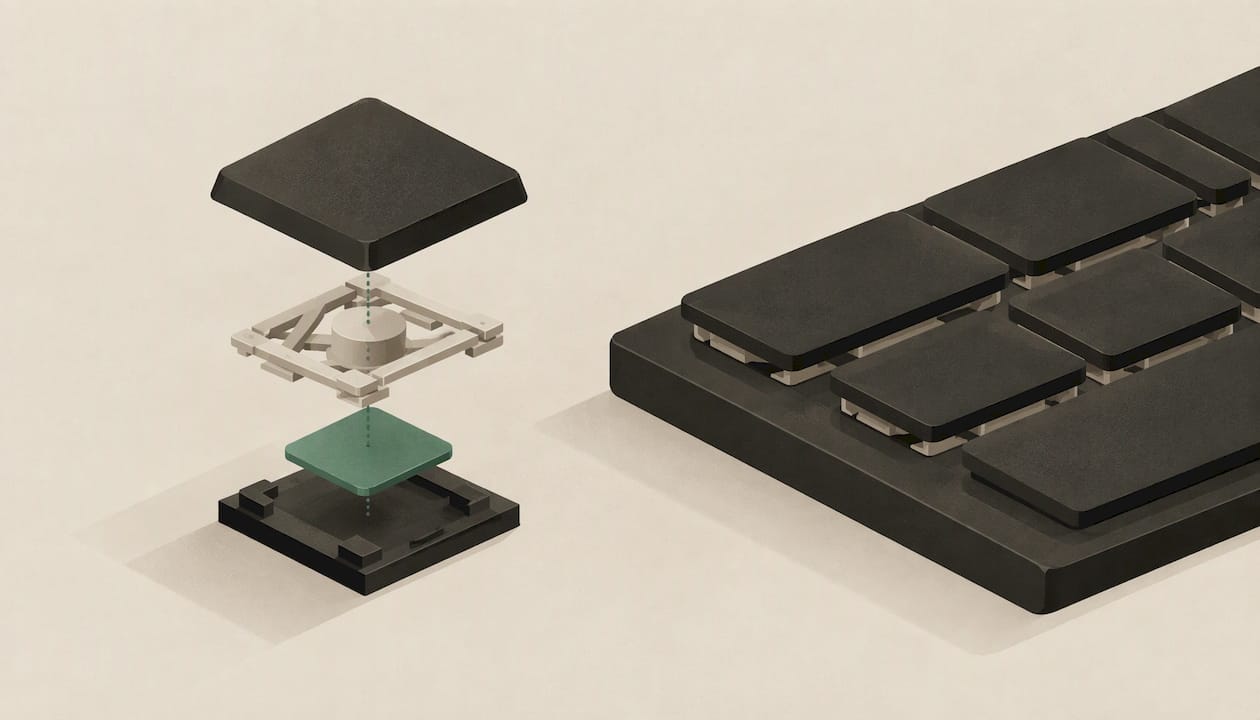
A low-profile keyboard is not automatically quiet, and it is not automatically loud. The sound you hear comes from the whole build: the switch, the keycaps, the stabilizers on the big keys, the plate, the case and the way you type. Choose those parts with noise in mind and a low-profile board can be very comfortable to share a room with. This guide explains what each part does and what you can change.
TL;DR
- Low-profile boards tend to sound softer and higher in pitch than full-height ones, but no single switch height guarantees silence. The whole build decides.
- Silent low-profile switches add damping at the bottom and return of the keystroke. They quiet the switch itself, not the large keys.
- Spacebar, Enter, Backspace and Shift use stabilizers and wider keycaps, so they stay louder than letter keys even on a silent board.
- Foam, thicker keycaps, a desk mat and a lighter touch reduce noise on a board you already own.
- A hot-swappable board lets you change switches later without soldering, so you can tune the sound over time.
Table of Contents
- Are low-profile keyboards loud?
- What makes a low-profile keyboard noisy
- Quiet and silent low-profile switches
- How to reduce noise without replacing your keyboard
- Choosing a quieter low-profile keyboard
- Our perspective
- Find your KeBe
- FAQ
- Sources
Are low-profile keyboards loud?
Short answer: usually not very, but it depends. A switch with less travel has a shorter distance to fall, so the keystroke often feels and sounds more compact. How-To Geek notes that low-profile mechanical keyboards are fairly quiet out of the box, and that silent switches with rubber padding on the top and bottom of the stem significantly dampen both bottoming out and recoil.
That said, "low profile" describes height, not volume. A thin board with hard plastic keycaps, a hollow case and a heavy typist can still clatter. A low-profile board with the right parts and a light touch can be close to a whisper. If you want the broader picture of what the category is before you shop, our guide to low profile keyboards and who they suit covers it.
What does the sound actually consist of? Mostly three events:
- The press. The stem moves down and the switch makes its own small mechanical sound, which differs between linear and tactile designs.
- The bottom-out. The keycap and stem hit the bottom of the switch housing. This is usually the loudest part of a keystroke.
- The return. The stem springs back up and strikes the top of the housing. This is the sharp "tick" many people notice at the end of a typing burst.
Everything you do to quiet a keyboard targets one of these three moments, or the way the case and desk amplify them.
What makes a low-profile keyboard noisy
Gateron, a major switch maker, explains that keycaps, stabilizers, plate material, case construction and typing force all play a part in the final sound. Here is how each one behaves in practice.
Switches
The switch sets the baseline. Linear switches have no tactile bump, so there is less mechanical activity during the press. Tactile switches add a bump that you can feel and sometimes hear. Clicky switches add a deliberate click, which is the opposite of what you want in a shared space. If you are weighing the first two, our comparison of linear and tactile switches walks through how each feels.
Switch spring weight matters too. A lighter actuation force lets you press keys without slamming to the bottom, which cuts the loudest part of the keystroke.

Keycaps
Thicker keycaps absorb more vibration and generally sound lower and duller than thin ones. Thin, hollow caps ring more. On a low-profile board you have fewer keycap options than on a full-height one, so it is worth checking the plastic thickness before you decide.
Stabilizers
Large keys such as the spacebar, Enter, Backspace and Shift need stabilizers to stay level. Gateron points out that these larger keys remain louder than letter keys because of their bigger keycap surface and the stabilizer hardware. This is the most common surprise for people who swap in silent switches and expect a silent board.
Plate and case
A rigid metal plate tends to give a sharper sound. A flexible plate or softer internals soften the high frequencies. The case matters because an empty cavity acts like a small drum. Fill or damp that space and the echo drops.
Your hands and your desk
Typing force is a real variable. Two people on the same keyboard can produce very different volumes. The desk surface also carries vibration, so a hard, thin desktop can make a board sound louder than it is.
Quiet and silent low-profile switches
Silent switches add damping to the parts of the keystroke that make the most noise. They do not remove the sound, but they do reduce it.
Gateron describes its KS-33 Low Profile Silent 2.0 as using damping spring rings on both sides of the stem. The company says this cuts bottom-out and return noise by over 30% compared with standard low-profile switches while keeping a crisp end feel. Its linear Red version is listed at 45±15 gf, 1.7 mm pre-travel and 3.0±0.2 mm total travel. Treat that 30% as the maker's own figure for its own switch, not a promise for every silent switch.
The design choice is interesting. Gateron says spring-based damping compresses gradually rather than abruptly, and that it holds its properties over millions of cycles, unlike soft silicone, which can take a permanent set. In plain terms, the stop at the bottom of the press feels softer instead of hitting a wall.
What changes in feel
Expect a slightly cushioned bottom of the stroke. Many typists like this because it is gentler on the fingertips during long sessions. If you prefer a very sharp, snappy bottom-out, a silent switch will feel a little rounder. Neither is better in general; it is a matter of taste and where you type.
Silent switch, not silent keyboard
Gateron also stresses that a "silent switch" should not imply the entire keyboard will be silent: it means the switch is designed to reduce switch-related impact noise. If you want a build that is quiet overall, plan for the stabilizers, keycaps and case as well.
For a deeper look at how low-profile designs differ from full-height ones, see our explainer on low-profile switches and who should use them.
How to reduce noise without replacing your keyboard
You can quiet most boards with a few inexpensive changes. Try them one at a time so you know what helped.
1. Add foam inside the case
Inverse reports that case foam, made of materials such as PORON, neoprene or Sorbothane, removes most of the empty space in a keyboard and prevents unwanted echo. Plate foam between the plate and the PCB works alongside it to take out most of the typing noise. The same source adds that switch films can reduce housing rattle, though they do not necessarily make switches quieter.
The principle is the same one used in rooms: soft material absorbs sound before it bounces around. If you are curious how that works at room scale, this guide to office noise reduction with acoustic panels shows the idea applied to walls and shared workspaces.
2. Choose a gasket-style or cushioned mount
How-To Geek says a gasket-mounted design is probably the quietest keyboard design available. If you are choosing a new board, look at how the plate is mounted, not only at the switches.
3. Use a desk mat
A soft mat between the board and the desk stops vibration from traveling into the surface, which often amplifies the sound. This is the cheapest change on the list.
4. Change how you type
Try to land on the key and stop, rather than driving through to the bottom. Short-travel boards make this easier because there is less distance to overshoot. Our guide to short travel keyboards explains what to look for.
5. Swap the parts that make the noise
Thicker keycaps, better stabilizer lubrication and silent switches each address a specific source. On a board with hot-swappable sockets you can change switches by pulling them out and pressing new ones in, with no soldering.

Whichever you try, treat each change as a small experiment. Results vary by desk, room and typing style, so listen after each step before adding the next.
Choosing a quieter low-profile keyboard
Your situation changes what you should prioritize.
| Situation | What to prioritize | Why |
|---|---|---|
| Shared office or open plan | Silent low-profile switches, thicker keycaps, a desk mat | Reduces bottom-out and return noise that colleagues hear |
| Home office with calls | Soft case and plate construction, light typing force | Microphones pick up sharp, high-pitched taps first |
| Late-night work or gaming | Linear switches with damping, a cushioned mount | Smooth, low-impact presses are less noticeable in a quiet house |
| Long typing sessions | Short travel, light actuation, a layout that limits finger movement | Less force per key means less sound and less strain |
For typists
If you type for hours, pay attention to touch as much as sound. A lighter, shorter keystroke is quieter and more comfortable. Our look at ergonomic mechanical keyboard benefits covers what helps and what does not.
For gamers
Fast, linear presses with a short stroke suit rapid input. Damped switches soften the bottom of the stroke, so repeated taps sound less like hammering.
For shared spaces
Remember the large keys. If you share a room, the spacebar and Enter are the sounds people notice most, so look at how they are built and consider foam and a mat early.
A quick checklist before you buy
- Is the switch linear, tactile or clicky? Linear or soft tactile is the quieter path.
- Is there a damped or silent option for the switch?
- Are the keycaps thick enough to avoid a hollow ring?
- Is the case closed and solid, and can it take foam?
- Are the switches hot-swappable so you can change your mind later?
Our perspective
We build KeBe keyboards around one idea: typing should take less effort. The Matrix-Dvorak layout, the straight-column key grid and hand-centered letter placement are designed to cut finger movement, and that is the first step toward a calmer keystroke. When your fingers travel less and land more deliberately, you tend to press with less force, and less force is a quieter keyboard.
That is why we pair low-profile switches with hot-swappable sockets. Sound is personal. Some people want a soft, muted press for a shared desk, and others want something crisper at home. A hot-swappable board lets you change switches as your preferences and your room change, instead of living with the first choice.
We also put the case to work. Our screwless nylon cases are designed to keep the build solid, and every keyboard is assembled by hand in Canada. We think a keyboard you will use for hours deserves that attention to how it is put together.
Our advice if you care about noise: choose the layout and switch type that suits your hands first, then tune the sound with keycaps, foam and a desk mat. Treat the keyboard as a system, not a single part.
Joshua
Find your KeBe
KeBe makes ergonomic mechanical and membrane keyboards with the Matrix-Dvorak layout, low-profile switches, hot-swappable keys, per-key RGB lighting, integrated USB-C ports and hub, a typing trainer and autocorrect. Some models also feature our dual-spacebar design. Each keyboard is assembled by hand in Canada, and the store also lists pre-orders and a waitlist for upcoming models.

Browse the range in the KeBe Canadian store to see what is available now, or visit the KeBe home page to learn more about the layout. If you are still deciding between board types, our guide to mechanical versus membrane keyboards will help you narrow it down.
FAQ
Are low-profile keyboards quieter than regular mechanical keyboards?
Often they sound softer because of the shorter travel, and one review of low-profile builds describes them as fairly quiet out of the box. Still, the switch type, keycaps, case and your typing force have as much influence as the height. Choose the whole build with sound in mind.
What is the quietest type of low-profile switch?
Silent low-profile switches with damping on both sides of the stem are designed to reduce bottom-out and return noise. One maker states its design cuts that noise by over 30% against its standard low-profile switches. Linear versions are usually the calmest, since they have no tactile bump.
Why is my spacebar still loud with silent switches?
Large keys use stabilizers and wider keycaps, which add their own sound. The switch maker notes that the spacebar, Enter, Backspace and Shift stay louder than letter keys even when the switches are silent. Foam, a desk mat and a lighter touch help most with these keys.
Does foam really make a keyboard quieter?
Yes, in many builds. Case foam fills the empty space that causes echo, and plate foam sits between the plate and PCB, and together they remove most typing noise according to one guide. Results differ between keyboards, so add one layer at a time and listen.
Can I change the sound of a keyboard later?
On a hot-swappable board, yes. You can pull out the switches and press in different ones without soldering, and you can also change keycaps or add foam. That makes it easy to adjust the sound as your desk, room or preferences change.
Sources
- Gateron: 3 Pin Low Profile Silent Switches: Silence, Travel and more
- Gateron: Silent Mechanical Switch With Upgraded Damping Rings
- How-To Geek: How I Built a Silent Mechanical Keyboard
- Inverse: How to make your mechanical keyboard quieter