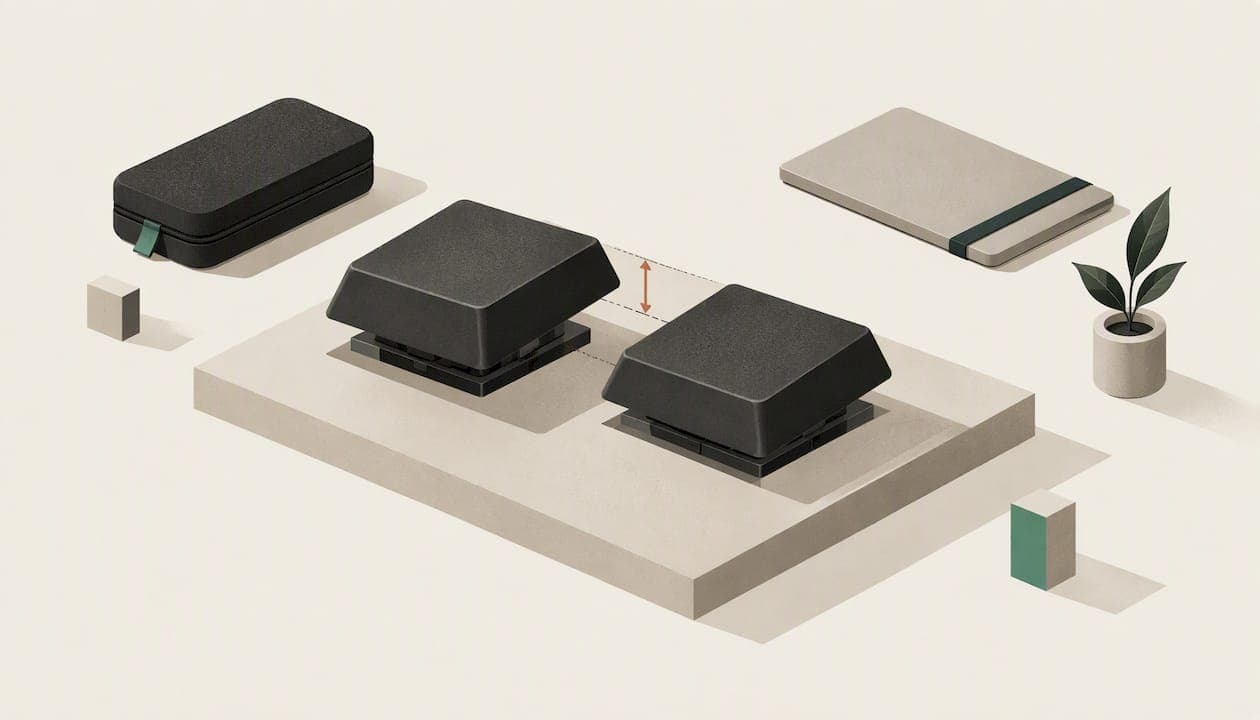
A short travel keyboard has keys that press down only a millimetre or two before they register, so the board sits flatter, packs smaller and usually types quieter. Whether it is right for you depends less on the travel number than on the switch under the key, the layout around it and how you actually work. This guide covers what short travel means, what the research says about speed and fatigue, what you give up, and how to pick one you will still like after a month.
TL;DR
- Short travel (low travel) generally means about 1.0 to 2.5 mm of key movement, against roughly 4 mm on a traditional full-travel board.
- Travel distance alone does not predict typing speed, accuracy or strain. Switch mechanism and actuation force matter just as much.
- Short travel makes a board thinner, quieter and easier to pack, but it can be harder to feel when a key has registered.
- Layout size decides what you carry and what you lose: 60% drops the arrow keys and function row, 75% keeps them.
- Try the board for a few weeks of real work before judging it. Your hands adapt, and so should your wrist and desk setup.
Table of Contents
- What a short travel keyboard actually is
- Does short key travel make you type faster?
- What you give up with short travel
- Choosing a size: 60%, 65% or 75%
- Features that matter on the road
- Comfort and ergonomics: how to keep a slim board from hurting
- What we think: layout matters as much as travel
- Where KeBe fits
- A quick checklist before you buy
- Short travel keyboards and gaming
- Short travel for people who type for a living
- FAQ
- Sources
What a short travel keyboard actually is
Key travel is the distance a key moves from rest to the bottom of its press. A short travel keyboard keeps that distance small. PCWorld describes low-travel keyboards as roughly 1.0 to 2.5 mm, and notes they tend to be smaller, quieter and more portable than full-travel boards.
You will see several names for the same family: low-profile, slim, thin, laptop-style. A low-profile keyboard has shorter keycaps, a thinner body and reduced key travel, and it often feels close to a laptop keyboard. If you have been searching for "a keyboard with thin keys", that is the category.
Two things get mixed up here:
- Short travel describes how far the key moves.
- Low profile describes the overall height of the board and keycaps.
The two usually go together, but not always. A tall mechanical board can have a short-travel switch, and a thin board can still have a deep, mushy press. When you compare products, look for both the travel figure and the height of the case.
If you want the longer version of this distinction, we cover it in Low Profile Keyboards: What They Are and Who They Suit.
Does short key travel make you type faster?
Not by itself, and that is the most useful thing the research tells us.
A 2011 study of 15 subjects compared keyboards with 2.0 mm, 2.5 mm and 4.0 mm travel. It found no significant differences in typing speed or accuracy between them. The same study recorded perceived fatigue: ratings were lowest on the 2.0 mm keyboards and highest on the 4.0 mm ones.
A later 2019 study on short-travel key switches went further. It found that key travel alone did not predict typing performance, and that results also varied with the switch mechanism and the activation force. Typing force and muscle activity were influenced by both the mechanism (scissor versus dome, for example) and the travel distance.
What that means in practice:
- Do not buy a board because it says "1.2 mm" and expect to gain words per minute.
- Do not avoid one out of fear that you will lose accuracy. In the study sizes above, you would not have.
- Compare the whole switch: how much force it needs, how it feels at the bottom, and whether the press is crisp or spongy.
The sample sizes in these studies are small and the keyboards were specific designs, so treat them as a guide to what matters rather than a promise. As Scribbright puts it, there is no universal right amount of travel. The best keyboard is the one that lets you type accurately and comfortably without thinking about the hardware.
What you give up with short travel
Short travel is not free. The trade-offs are real, and it is better to know them before you order.
Feedback. With less distance to travel, there is less time to feel the key actuate. PCWorld's guide says shorter travel can make it harder to sense whether a key has registered, while longer travel can reduce accidental keystrokes and cushion hard presses. If you are a heavy typist who bottoms out every key, you may notice the hard stop more on a thin board.
Accidental presses. A light touch that works well for short travel can also mean resting fingers trigger keys. This is mostly a habit issue, and it fades with a few days of use.
Gaming feel. Short travel can be a plus for fast, repeated inputs, since the key resets quickly. But some players like a longer, more defined press for precise control. This is personal preference, and the research above does not settle it either way.
Customization. Thin boards often use proprietary or limited switch and keycap options. If swapping switches and keycaps matters to you, check that before buying rather than after.
For a wider look at switch types, see our comparison of mechanical versus membrane keyboards.

Choosing a size: 60%, 65% or 75%
Travel distance changes how a key feels. Layout size changes what is on the board. For portability, size matters more.
According to XDA's keyboard terms guide:
| Layout | What it leaves out | What it keeps |
|---|---|---|
| 60% | Function row, number pad, arrow keys, navigation cluster | Letters, numbers, modifiers |
| 65% | Function row | Arrow keys and some navigation keys |
| 75% | Number pad | Function row and navigation keys |
A few ways to decide:
- You write, code or study on a laptop and want the smallest footprint: 60% is the lightest to carry, but you will reach for function layers for arrows and function keys.
- You edit documents or spreadsheets and use arrows constantly: 65% is the usual compromise.
- You use shortcuts and function keys daily: 75% saves you from layer-switching and still has no number pad.
- You enter lots of numbers: consider a separate small number pad rather than a full-size board.
One more detail: the same guide notes that ANSI has a rectangular Enter key and same-size shift keys and is the US standard, while ISO is popular in the UK and other European countries. Canadian readers who type in French or want accented characters should check which physical layout a board uses, since that affects keycap sets and key placement.
For a detailed breakdown of the two sizes most people choose between, read 60% vs 75% Keyboard: Which Size Fits the Way You Type?
Features that matter on the road
When the keyboard is going in a bag, a few practical details outweigh the spec sheet.
Weight and thickness
Low-profile boards tend to be lighter and flatter, so they fit more easily in a bag. Check the listed weight and the thickness at the tallest point, since a thin front edge can hide a tall back.
Connection and power
Decide whether you want wired, wireless or both. A wired USB-C connection removes pairing and charging worries, while wireless clears cable clutter on a train table. Look for how the board pairs (several devices or one), how it charges, and whether it keeps working when plugged in. Always check the manufacturer's stated battery life, since lighting and usage change it a lot.
Protection
Keys and switches can be damaged in transit by pressure, so carry the board in a padded sleeve or hard case rather than loose in a backpack. The same applies to the tablet or phone it connects to. If you type on an iPad, a good set of protective iPad cases keeps the screen safe next to the keyboard in your bag.

Quiet operation
Short travel is generally quieter, which helps in shared spaces, cafés and flights. Still, switch type changes the sound more than height does, so listen to a demo before you commit.
Comfort and ergonomics: how to keep a slim board from hurting
Thin keyboards put your hands closer to the desk, which can bend your wrists upward if you have no support. The Canadian Centre for Occupational Health and Safety is the national body for workplace health guidance; if you type for hours, its computer workstation ergonomics guidance is the page to read for posture and set-up, and a physiotherapist or occupational therapist is the right person to see if you have numbness, tingling or pain that does not ease with rest.
Some sensible habits for any short travel keyboard:
- Keep your wrists in line with your forearms, not bent up or down.
- Use a soft wrist rest only as a place to pause, not to anchor your hands while typing.
- Raise the back of the board slightly only if it keeps your wrists neutral.
- Take short breaks and stretch your hands and forearms.
- If you carry the board between locations, set it up at the same height each time.
The 2011 study suggests lower perceived fatigue on shorter travel, but fatigue also depends on posture, force and how long you type. A short travel keyboard helps most when you pair it with a good setup.
What we think: layout matters as much as travel
We build keyboards, so we have a point of view, and it differs a little from most travel keyboard advice.
Most buying guides treat portability as a matter of size and height. We think the bigger lever is how far your fingers have to move. The research is clear that key travel alone does not predict performance, so a shallow press will not by itself make typing easier. What changes your day is the distance your fingers cover between letters, and how many awkward reaches you make.
That is why KeBe uses the Matrix-Dvorak layout with a straight-column key grid and hand-centred letter placement. The aim is to cut finger movement, which is the thing we are trying to reduce, not just the thickness of the case. We pair that with low-profile switches, hot-swappable keys, per-key RGB lighting, autocorrect for typos and a dual-spacebar design.
We will be honest about the trade-off: a new layout takes time. Moving to Dvorak means relearning where letters are, and for the first weeks you will be slower. That is why we made a free Dvorak typing trainer that teaches one letter at a time, so you can try the layout before you buy anything.
Our advice: choose a short travel keyboard for how it feels under your fingers and how it fits your bag, then ask whether the layout is helping or hurting you. If you type all day, that second question is worth as much as the first.
— Joshua
Where KeBe fits
If you want a low-profile board built around reducing finger movement, look at what we sell. KeBe makes ergonomic mechanical and membrane keyboards with the Matrix-Dvorak layout, low-profile switches, hot-swappable keys, per-key RGB lighting, integrated USB-C ports and a hub, a screwless nylon case and a built-in typing trainer. Each one is assembled by hand in Canada.
The mechanical KeBe v2 suits people who want a customizable board, and the slim KeBe Lite, a membrane model, is planned for those who want a thinner profile. Pre-orders and a waitlist for upcoming models are open, so you can be first in line. See the current lineup and pricing in the KeBe store.
A quick checklist before you buy
Run through these questions and you will rule out most poor fits:
- Where will I use it most? Desk, laptop bag or both. A board that lives on a desk can be thicker than one that rides in a backpack.
- Which size? Pick 60%, 65% or 75% based on the keys you press every day.
- How does the switch feel? Check actuation force and whether the press has a clear bump or a soft landing.
- How does it connect and charge? Wired, wireless or both, and what happens when the battery runs out.
- Can I swap parts? Hot-swappable switches and keycaps extend the life of a board.
- Can I return it? Read the return terms, because feel is hard to judge from a page.
- What is the layout? A standard layout is easier to adopt; a different one needs a learning plan.
Give any new keyboard two to four weeks of normal work before you judge it. Speed dips at first with almost any change, and the useful question is where you land after you adapt.
Short travel keyboards and gaming
Gamers often ask whether short travel gives an edge. A shallow press resets quickly, so repeated taps can feel snappier, and a compact board leaves more desk room for mouse movement. These are reasonable benefits, but we cannot point to a study that proves faster reaction in games, so we would not promise it.
What we can say is that gaming comfort comes down to a few things: actuation force that does not tire your fingers over long sessions, key rollover and a connection you trust. If you play and type on the same board, a hot-swappable design lets you change switches as your taste changes, rather than replacing the whole keyboard.
Short travel for people who type for a living
Writers, developers, analysts and support staff type for hours. For them, the best result usually comes from combining a low-travel switch they find comfortable with a size that keeps the mouse close, and a layout that reduces reaching. The 2011 study found lower perceived fatigue on shorter travel, though speed was unchanged, which is a modest but real reason to try it.
If you already use a laptop all day, a short travel external board will feel familiar. If you come from a full-travel mechanical board, expect a week or two of adjustment, and expect to type a little more lightly.
FAQ
What is a keyboard with thin keys called?
It is usually called a low-profile or slim keyboard. These boards have shorter keycaps, a thinner body and reduced key travel, and they often feel like a laptop keyboard.
Is a short travel keyboard good for typing speed?
The research we found says travel distance alone does not decide speed. A study comparing 2.0, 2.5 and 4.0 mm travel found no significant difference in speed or accuracy, and another found that switch mechanism and activation force also shape results. Pick the board that feels accurate and comfortable to you.
Are short travel mechanical keyboards worth it?
They can be, if you value a thinner, quieter board and a lighter press. The drawback is that it can be harder to feel when a key has registered. Look for hot-swappable switches and a demo or return policy so you can test the feel.
Which layout is best for travel: 60%, 65% or 75%?
A 60% board is the smallest but drops arrows and the function row. A 65% keeps arrow keys, and a 75% also keeps the function row. Choose based on which keys you use every day.
Sources
- Full travel vs. low travel keyboards: What's the difference? (PCWorld)
- Going short: the effects of short travel key switches (PMC)
- Are there Differences in Typing Performance and Typing Biomechanics (University of Washington)
- What is a Low-Profile Keyboard? (Scribbright)
- The ultimate guide to keyboard terms (XDA Developers)
- Canadian Centre for Occupational Health and Safety