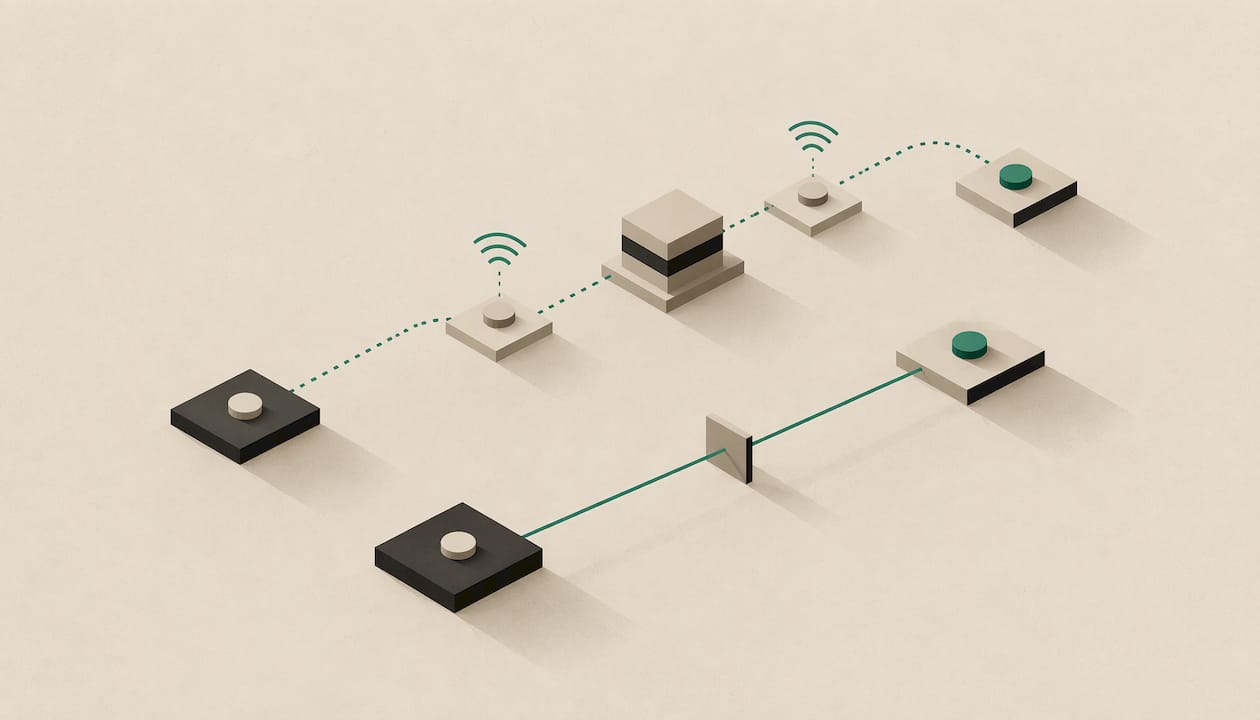
A wired keyboard has the lowest and most consistent latency. A good 2.4 GHz wireless keyboard comes within a few milliseconds of it. Bluetooth is clearly slower and less steady. For gaming and fast typing, a wired keyboard is the safest choice, because nothing between the switch and your computer can add delay or drop a keystroke. Our KeBe keyboards have integrated USB-C ports and a built-in hub, so the connection that gives you the lowest latency is also the one that keeps your desk simple.
TL;DR
- Typical measured latency: wired USB roughly 3 to 6 ms, 2.4 GHz wireless a few milliseconds above that, Bluetooth roughly 12 to 20 ms or more.
- The gap between wired and a well-built 2.4 GHz keyboard is usually too small to feel. Consistency is the bigger difference: wired varies less and does not drop keystrokes.
- Bluetooth is fine for office typing and is the weak link for fast games.
- Polling rate, debounce time and firmware affect latency as much as the cable does, so judge the whole keyboard, not just the connection type.
- If you game, type for hours or want the same response every session, choose wired.
Table of Contents
- What keyboard latency actually is
- Wired vs 2.4 GHz vs Bluetooth: the measured numbers
- What you can actually feel
- Consistency matters more than the average
- Polling rate: 1000 Hz, 8000 Hz and what they change
- Which connection for which user
- Six ways to lower your keyboard latency
- What we think
- A KeBe keyboard built around that idea
- FAQ
- Sources
What keyboard latency actually is
Keyboard latency is the time between you pressing a key and the computer registering it. It is measured in milliseconds (ms), thousandths of a second. It is not one delay but a chain of small ones:
- Switch travel and scanning. The keyboard's controller checks the key grid (the matrix) many times a second to see what is pressed.
- Debounce. A switch contact can flutter for a moment when it closes. The firmware waits briefly to confirm the press is real, and that wait counts as latency.
- Transport. The signal travels by USB cable, a 2.4 GHz radio dongle, or Bluetooth.
- The computer and game. The operating system, the game's own sampling and your monitor all add their share after the keyboard has done its job.
This matters because the connection type is only one link. igor'sLAB's latency database points out that for wired keyboards the decisive factors include matrix scanning, switch debouncing, controller prioritization and firmware quality, not only the USB polling rate. A well-tuned keyboard is fast whichever way it connects.
Wired vs 2.4 GHz vs Bluetooth: the measured numbers
Different labs use different methods, so absolute figures vary. The ranking never does. Here are published measurements side by side.
| Source and test | Wired USB | 2.4 GHz wireless | Bluetooth |
|---|---|---|---|
| WCCFtech review of a wireless gaming keyboard (2025) | 2.81 ms | 4.72 ms | 15 ms |
| igor'sLAB test of a compact wireless keyboard, end-to-end average (2026) | 12.3 ms | 17.7 ms | not tested |
The second row is larger because igor'sLAB measures the full chain from key press to result, while the first measures the keyboard's own response. Compare numbers within a row, not across rows. In both, wired wins and 2.4 GHz follows closely.
The Engadget comparison gives the broad ranges. A wired connection sits at around 0.3 to 1 ms, a 2.4 GHz connection can be as low as 1 or even 0.5 ms, and Bluetooth can be as low as 8 ms but can top 200 ms. That Bluetooth spread is the real story: it is not only slower on average, it is far less predictable.
Why Bluetooth is slower
Bluetooth is built to keep a robust connection alive across many kinds of devices, from headphones to keyboards, and to save power. Engadget explains that this design favours a stable link with compressed data over raw speed, while a manufacturer can tune a 2.4 GHz dongle specifically for a keyboard's needs.
HowToGeek adds the numbers behind it. Bluetooth typically tops out at a 250 Hz reporting rate, 125 Hz on older versions. That gives a baseline of 4 ms, or 8 ms at 125 Hz, before energy-saving features, frequency hopping and interference add more. A wired or dongle connection at 1000 Hz or higher starts from a far lower floor.
What you can actually feel
Measurements only matter if you can perceive them. Allion Labs' Bluetooth keyboard performance test offers a useful rule of thumb: under 100 ms most users feel nothing, 100 to 200 ms is noticed by some gamers, 200 to 400 ms is noticed by most people, and around 400 ms users start to complain.

So a normal Bluetooth keyboard, at 15 to 20 ms in good conditions, will not bother you while writing an email. The trouble is the tail. In a crowded radio environment, Bluetooth delay can climb into the range Allion describes as noticeable. In the same test, adding interference made delays worse, and the delay on a Bluetooth keyboard in a clean environment already ranged from about 40 to 200 ms for the model they measured.
For 2.4 GHz versus wired, the difference is a few milliseconds. In a fast shooter or rhythm game you work with timing windows measured in tens of milliseconds, and the rest of your system, including your monitor and the game engine, adds more than the connection does. Ultimate PC Tools notes that debounce time (5 to 10 ms) and game engine tick rate (up to 16 ms) typically contribute more latency than polling rate does.
The honest summary: most people cannot feel the difference between wired and good 2.4 GHz in a blind test. What they notice is the occasional stutter or dropped key, and that is a consistency problem, not an average-speed problem.
Consistency matters more than the average
An average hides the worst press. The igor'sLAB test above reported the compact wireless keyboard's wired mode at best 6.0 ms and worst 18.9 ms, and its 2.4 GHz mode at best 8.9 ms and worst 25.4 ms. The reviewer concluded that wired is faster and more consistent, while wireless remains suitable for everyday use, writing and normal gaming.
When you are timing a combo, a double-tap or a fast sentence, the slowest press is the one you remember. A cable removes the radio from the chain, so there is less that can vary from one press to the next. That is the main reason we recommend wired for anyone who cares about feel.
Interference and dropouts
Wireless adds failure modes a cable does not have. Engadget notes that a USB 3.0 port (usually the blue one) can generate noise that causes a 2.4 GHz keyboard's signal to drop out. A busy radio environment such as a cafe or airport can cause dropped keystrokes or added latency, and so can a dongle with no clear line of sight to the keyboard. Allion Labs also points out that Wi-Fi and Bluetooth share the same 2.4 GHz band, which creates co-existence problems.
If you do use a 2.4 GHz keyboard, plug the dongle into a USB 2.0 port or an extension lead close to the keyboard, away from other USB 3.0 devices. That fixes most reported dropouts.
Polling rate: 1000 Hz, 8000 Hz and what they change
Polling rate is how often the keyboard reports its state to the computer. At 1000 Hz, the longest you wait for the next report is about 1 ms. At 8000 Hz, that interval drops to 0.125 ms, according to igor'sLAB. Ultimate PC Tools also reports that at 125 Hz the worst-case delay is 8 ms.
So 1000 Hz is the sensible minimum for gaming. HowToGeek recommends exactly that as the key specification when shopping for a wireless gaming keyboard. Going from 1000 Hz to 8000 Hz saves less than a millisecond in the best case, and igor'sLAB stresses that real performance depends on the interplay of scan frequency, debouncing and USB transmission. An 8000 Hz label on a keyboard with slow firmware will not beat a well-tuned 1000 Hz one.
Polling rate is also where cheap keyboards lose out. Office-style wireless keyboard and mouse sets, such as a wireless keyboard and mouse combo, are built for comfort and battery life at a dongle connection, not for gaming-grade timing. They are perfectly good for documents and browsing.

Which connection for which user
Gamers. Choose wired. You get the lowest latency, the tightest consistency, no battery to die mid-match and no dongle to interfere. A 2.4 GHz keyboard with a 1000 Hz or higher polling rate is a reasonable second choice if you need a cable-free desk. Avoid keyboards that rely on Bluetooth alone for competitive play.
Fast typists and professionals. Under 20 ms is imperceptible while writing, so latency is not the deciding factor. What you notice over a working day is a keyboard that behaves the same every time you sit down. A wired connection gives you that, and it never needs charging or re-pairing.
Ergonomics seekers. Ergonomic layouts matter more to your hands than the connection does, but a stable wired link means one less thing to think about. If you are comparing layouts, our guides to Dvorak vs QWERTY and ergonomic vs regular keyboards cover that side.
Customizers and enthusiasts. Latency is also a function of the switch and firmware. Low-profile switches shorten key travel, and hot-swappable sockets let you change switches without soldering. Our guide to low-profile switches explains how they differ, and mechanical vs membrane covers the other big hardware choice.
For a fuller buying view that includes battery life and portability, see our broader guide to wired vs wireless keyboards.
Six ways to lower your keyboard latency
- Use a cable. It removes the radio and the battery from the chain.
- Check the polling rate. Look for 1000 Hz or higher in the specifications.
- Pick a keyboard with short debounce. Ultimate PC Tools reports that cutting debounce from 12 ms to 3 ms on the same keyboard saves about 9 ms, with no new purchase needed when the firmware allows it.
- Use a direct USB port. Plug into a port on the computer rather than a crowded hub when you want the tightest response.
- Use a high refresh rate. The game and monitor sit after the keyboard in the chain. At 144 fps a frame lasts about 6.9 ms, so a faster display and frame rate shrink that window.
- Mind your travel distance. Shorter key travel means the switch actuates sooner, which is one reason people move to low-profile designs.
What we think
We build keyboards for people who spend their day on them, and we think the wired-versus-wireless debate is often framed the wrong way. The numbers show that a few milliseconds separate a good dongle from a cable. What matters more is whether your keyboard feels identical on press number one and press number ten thousand.
That is why we design around the connection that removes variables. KeBe keyboards have integrated USB-C ports and a built-in hub, so the same cable that gives you a direct connection also gives you extra ports at your desk.
Latency is not only about the cable, either. Our Matrix-Dvorak layout uses a straight-column grid and hand-centred letter placement to cut the distance your fingers travel, our low-profile switches shorten key travel, and our autocorrect and dual-spacebar design are built for people who type fast. A faster keyboard is one that reduces the whole chain between your intent and the letter on screen, not just the milliseconds on a spec sheet.
Every KeBe keyboard is assembled by hand in Canada, with hot-swappable switches and per-key RGB lighting so you can set it up your way.
Joshua
A KeBe keyboard built around that idea
If you want a keyboard designed for fast, comfortable typing, KeBe offers mechanical and membrane models with the Matrix-Dvorak layout, low-profile switches, hot-swappable keys, per-key RGB lighting, integrated USB-C ports and hub, and screwless nylon cases, all assembled by hand in Canada. You can also order ahead of upcoming models through pre-orders and the waitlist.

Browse the full range in the KeBe store. If you are moving to a new layout, the free Dvorak typing trainer teaches it one letter at a time.
FAQ
Does a wireless keyboard have latency?
Yes, every keyboard has some, and wireless adds a little more. Measured examples put 2.4 GHz a few milliseconds above wired, while Bluetooth is higher and varies far more. For writing and everyday use, the difference is rarely noticeable.
Is a wired or wireless keyboard better for gaming?
Wired is the better pick, because it gives the lowest latency and the steadiest response with no battery or interference to worry about. A 2.4 GHz keyboard with a 1000 Hz polling rate is often adequate, but Bluetooth is best kept for office use.
Is a 1000 Hz or 8000 Hz keyboard better?
1000 Hz limits the wait for the next report to about 1 ms, and 8000 Hz cuts that to 0.125 ms. The saving is under a millisecond, so firmware quality, debounce time and the rest of your system usually matter more than the number on the box.
Which keyboard has the lowest latency?
In published tests, a wired keyboard with a 1000 Hz or higher polling rate, fast scanning and short debounce comes out lowest. Differences between individual models are often larger than the differences between connection types, so look at the specifications and not only the label.
Sources
- Engadget: Wired vs. wireless keyboards
- Allion Labs: Bluetooth keyboard performance test
- igor'sLAB: Input device latency database
- igor'sLAB: Compact wireless keyboard test
- HowToGeek: Wired vs wireless for gaming
- WCCFtech: Wireless gaming keyboard review
- Ultimate PC Tools: Keyboard polling rate