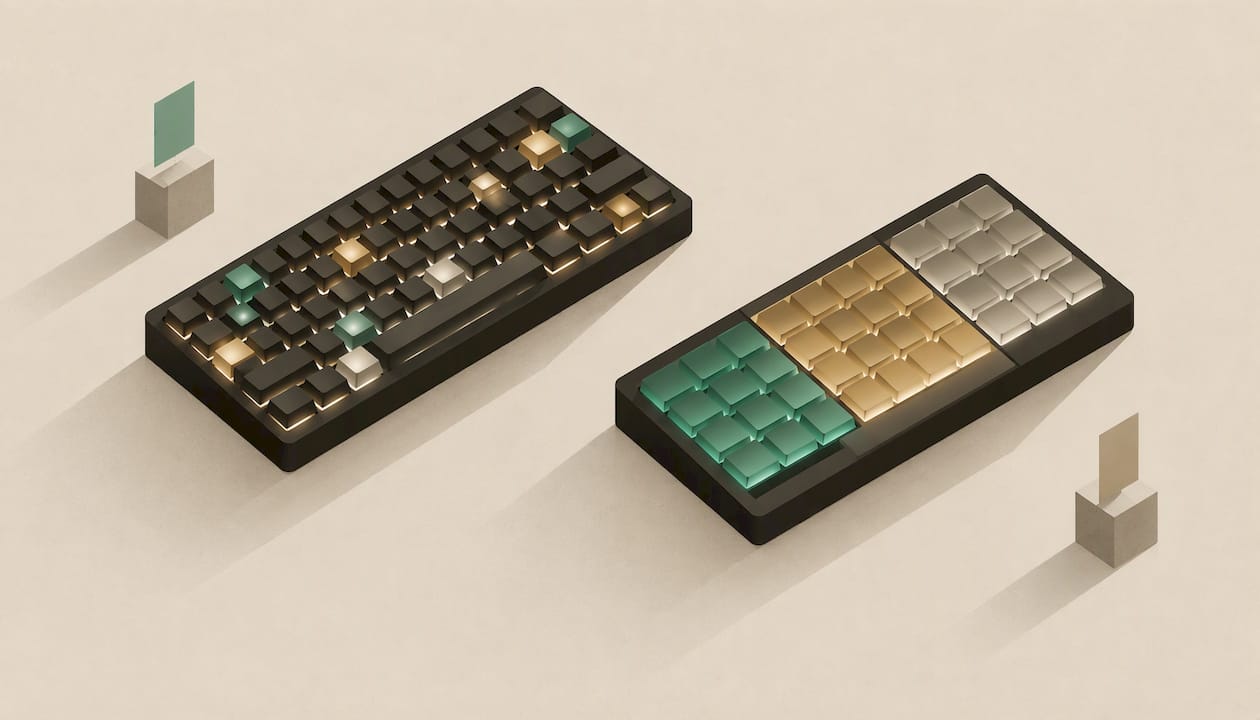
Per-key RGB gives every key its own colour and brightness. Zone lighting groups keys into a handful of blocks that change together. If you only want a pleasant glow, zones are enough. If you want lighting that does a job, such as marking your most-used keys, showing a layer or following a layout that isn't QWERTY, per-key RGB is the one to buy. That is why we build our keyboards with per-key RGB, and the rest of this guide shows how to judge it for yourself.
TL;DR
- Per-key RGB: each key is lit and controlled on its own, so you can colour individual keys, build custom effects and highlight any key group you like.
- Zone lighting: the board is split into a small number of fixed regions (commonly three to ten), and each region changes colour as one unit.
- Count controllable regions, not glowing keys: a ten-zone board has ten lighting groups, not ten individually controlled keys.
- Per-key matters most for gamers who want key-group cues, typists on a non-QWERTY layout, and anyone who likes to customize.
- Our KeBe keyboards come with per-key RGB lighting, hot-swappable keys and the Matrix-Dvorak layout, assembled by hand in Canada.
Table of Contents
- What per-key RGB actually means
- What zone lighting is
- Per-key RGB vs zone lighting side by side
- Where the difference shows up in daily use
- What it takes to get the most from per-key RGB
- A quick way to decide
- Per-key RGB on KeBe keyboards
- See the lineup
- FAQ
- Sources
What per-key RGB actually means
RGB stands for red, green and blue, the three LED colours that combine into any shade. On a per-key board, every key position has its own addressable LED chip. Per-key RGB lets each key's colour and brightness vary independently, whereas older single-colour backlighting changes the entire board at once.
In practice that means three things:
- Any key can be any colour. You can paint your movement keys one shade, your shortcuts another and leave the rest dim.
- Effects can travel across the board. Ripples, waves and reactive effects that light the key you press need individual control to look right.
- Lighting profiles can be exact. You can save a profile for a game, another for writing and another for editing, each marking different keys.
The software on the computer or the keyboard's own firmware holds those instructions. We cover the basics in more depth in our guide to how per-key RGB works and what to look for.
What zone lighting is
Zone lighting (also written zonal lighting) divides the keyboard into fixed regions. A zone-based keyboard typically has three to ten regions, and each region shows one colour at a time. A common four-zone layout, for example, might split the board into left, centre-left, centre-right and right blocks, while others set aside the WASD cluster or the arrow keys as a group.
A single-zone keyboard, which comes up often in searches, is the simplest version: one colour for the whole board, with at most a brightness control and a few built-in effects. Zones sit between that and per-key.
The difference comes down to how the hardware is addressed. A per-key matrix gives the software a separate lighting address for every key. Zone lighting merges those addresses into larger groups, which means fewer control channels and simpler firmware. That is why zoned boards tend to be a lower-cost way to get colour.
Per-key RGB vs zone lighting side by side
| Per-key RGB | Zone lighting | |
|---|---|---|
| Control unit | One key | A block of keys |
| Typical count | One LED address per key | Roughly three to ten regions |
| Highlighting a single key | Yes | No |
| Custom key-group cues (WASD, shortcuts, layers) | Any group you choose | Only the groups the maker defined |
| Effects | Fine, key-to-key motion and reactive effects | Block-level colour changes and presets |
| Profile detail | Very high | Limited |
| Setup effort | More options to configure | Quick |
Two points deserve emphasis. First, the number of lit keys tells you nothing: on a zoned board every key can glow and still be controlled in only four groups. As the guide above advises, look at how many independently controlled regions the product lists. Second, zone count says nothing about typing feel, switch quality or noise, so judge those separately.
Where the difference shows up in daily use
Gaming
Gamers get the clearest payoff. With per-key control you can light only the keys a game uses, give cooldown or ability keys their own colours and dim everything else so your eyes go straight to the keys that matter. Zones can only mark the blocks the maker defined. If your game uses keys outside the WASD cluster, you can't isolate them.
Software depth matters here too. One mainstream brand's recent firmware update added per-key colour and effect changes plus two user-defined zones with separate effects, speed, colour and brightness. The reviewer said it brought customization nearly on par with a dedicated per-key lighting studio, though he found the timed alternation of layered effects not especially useful. It shows where the market is heading: even zone features are now being layered on top of a per-key base.
Typing and ergonomic layouts
If you type in a dim room and don't yet touch type, per-key lighting lets legends and key edges show up clearly, and you can mark the home row or the keys you tend to miss. It also helps when you are learning something new. A Dvorak or Matrix-Dvorak layout puts letters in different places from QWERTY, and colour can act as a map: vowels in one shade, common consonants in another, punctuation dim. Zone lighting can't do that, because a block of keys is far too coarse to separate letters by role.

This is the part we care about most. Our keyboards use the Matrix-Dvorak layout with a straight-column key grid and hand-centred letter placement, designed to minimise finger movement. Because per-key RGB lets you colour individual keys, it works well alongside our built-in typing trainer while you get used to a new layout.

Comfort matters too. A softer, steadier glow is easier on the eyes in a dark room. A late-night review of a per-key board described the evenly spread, softer glow as free of glare and said balance matters more than flashy patterns. With per-key control you can set a low, single-colour profile for writing and keep the effects for play.
Customization and enthusiasts
If you enjoy tuning a keyboard, per-key control is the natural fit. It pairs well with hot-swappable switches, which let you change switches without soldering, and with custom keycaps. Per-key lighting lets the colours follow the new look. If you are still weighing how much customization you want from the start, our comparison of prebuilt vs custom keyboards walks through the decision.
What it takes to get the most from per-key RGB
Software and control
Most keyboards ship with their own software or onboard firmware controls. Some users prefer a single app to control all the lighting on their desk. OpenRGB is a free, open-source application that offers per-zone and per-LED control, built-in static, breathing, spectrum-cycle and rainbow-wave modes, full Windows and Linux support and partial macOS support. It works on many keyboard models, but very new hardware may lack support until the community adds it. Treat it as an optional extra for people with mixed-brand setups, not a requirement.
Keycaps and switches
Lighting only looks good if the light can escape. Per-key LEDs sit under each switch, so the quality of the result depends on the switch housing and keycap legends. Transparent or shine-through legends make individual keys glow. Opaque caps show mostly the light leaking around the edges. When you shop, look at the keycaps and legends, not just the lighting spec. Our guides to low-profile switches and low-profile keyboards explain how the slimmer build affects the way a keyboard looks and feels.
Brightness and power
Individually addressable LEDs mean more components than a zoned board, so per-key lighting uses a little more power at high brightness. On a wired desktop keyboard this is rarely worth a thought. Keeping brightness moderate also keeps the glow comfortable for long sessions. Lighting is one part of the whole desk, and a workspace that works for you keeps glare, clutter and surface feel under control too.
A quick way to decide
Answer these four questions:
- Do you want to light specific keys differently? Shortcuts, a layout map, game keys: choose per-key.
- Are you learning or using a non-QWERTY layout? Per-key colouring makes the layout visible. Choose per-key.
- Do you only want a pleasant background glow? Zone lighting does it with less to configure, since the choice is simply a colour per block.
- Do you like to tweak and rebuild? Per-key RGB rewards that habit, especially on a board with hot-swappable keys.
For most of the readers this page is written for, typists after ergonomics, gamers, professionals with a efficient layout and customizers, the answer is per-key.
Per-key RGB on KeBe keyboards
We designed our keyboards around one idea: your fingers should travel less and your keyboard should help you learn how to do that.
That is why per-key RGB is part of the KeBe design rather than an add-on. The Matrix-Dvorak layout puts letters in different places from the QWERTY board you are used to, and a layout is easier to learn when you can see it. Lighting each key on its own lets you colour the home row, mark the keys that give you trouble and keep everything else quiet. Zone lighting groups keys into blocks, so it cannot separate one letter from its neighbour. Per-key can.
The same control suits gamers, who can light only the keys a game uses, and customizers, who can match the lighting to the keycaps and hot-swappable switches they choose. Add the straight-column grid, the dual spacebar, the typing trainer and autocorrect, and the lighting becomes part of a keyboard built to be comfortable over a long day.
We assemble each KeBe by hand in Canada, from the mechanical KeBe v2 to the slim KeBe Lite. When you choose a keyboard, choose the lighting that does a job. For us, that is per-key.
Joshua
See the lineup
Our keyboards pair per-key RGB with hot-swappable keys, low-profile switches, integrated USB-C ports and a hub, and a screwless nylon case. You can browse the current models, and the pre-order and waitlist options for upcoming ones, in the KeBe store.

If you are still deciding between switch types or board sizes, our guides on mechanical vs membrane keyboards and tenkeyless vs full-size layouts cover those choices.
FAQ
Is per-key RGB better than zone lighting?
For control, yes: it can light any single key or group, while zones are limited to the blocks the maker set. It suits gaming, layout learning and customization best. Zone lighting is enough if all you want is a colour wash.
What is a single-zone RGB keyboard?
It is a board where the whole keyboard shows one colour or effect at a time. Zone boards split that into a few regions, and per-key boards give each key its own control.
How many zones does a zone-lit keyboard have?
Commonly three to ten regions, each changing colour as one unit. When comparing products, count the independently controlled regions rather than the number of glowing keys.
Does per-key RGB help with typing?
It can. Lighting individual keys lets you mark the home row or map a new layout, and a soft, even setting is comfortable in a dark room. Our KeBe keyboards combine per-key RGB with the Matrix-Dvorak layout and a built-in typing trainer for this reason.
Sources
- What is Per Key RGB? (Explained)
- What Is Zone-based Keyboard Lighting?
- Keychron Launcher firmware update coverage, Notebookcheck
- Epomaker RT85 review, Tech4Gamers
- OpenRGB: Smart RGB Lighting Control Software