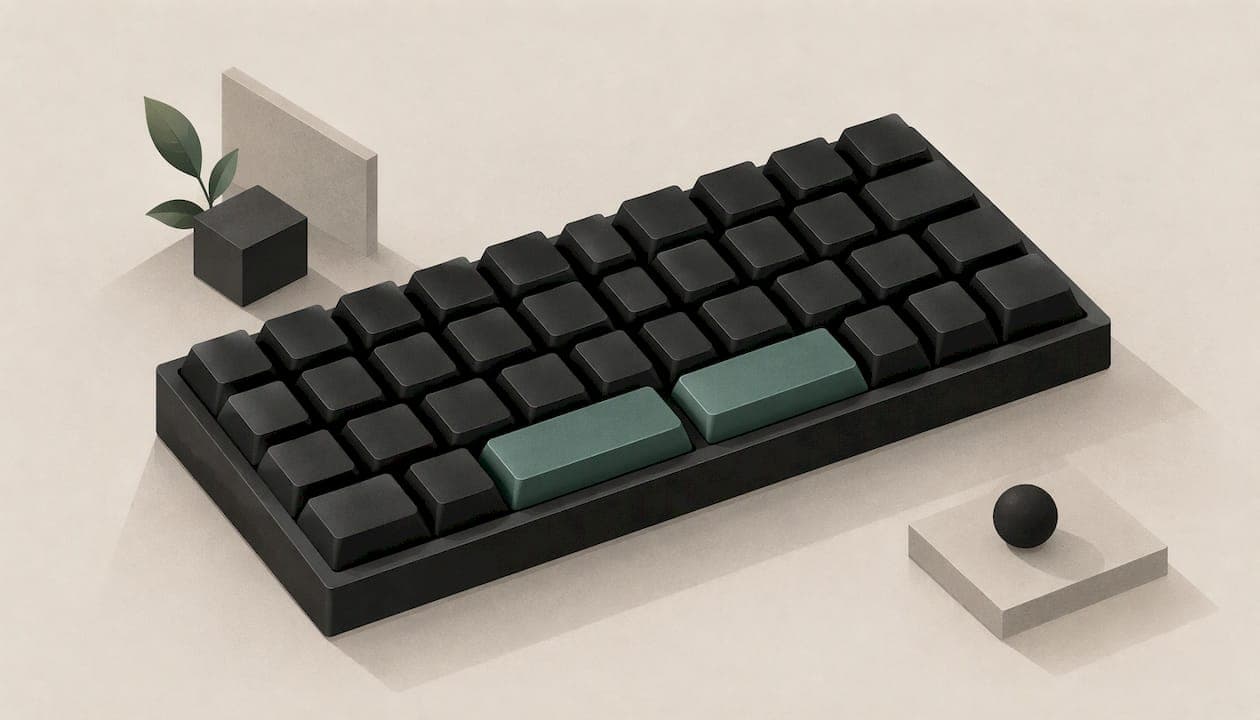
A split spacebar keyboard replaces the one long bar under your thumbs with two or more shorter keys. You can keep Space on one side and give the other a different job, such as Backspace, Delete, Enter or a layer key. The payoff is more useful keys under your thumbs and less reaching, with no extra distance for your fingers. Below you'll find how the layout works, what to put on each half, how it compares with a single spacebar and what to expect in your first weeks.
TL;DR
- A split spacebar gives your thumbs more than one job, so fewer keys sit out of reach on the edges of the board.
- Most people hit Space with one thumb, so the other half is free to become Backspace, Delete, a modifier or a game action.
- The layout only pays off once you remap the extra key. Two halves both set to Space behave like a normal bar.
- Give yourself several days with one change before you judge it, and add more only when the first feels natural.
- Our KeBe keyboards are designed with a dual-spacebar layout, alongside the Matrix-Dvorak key grid, for typists and gamers who want less finger travel.
Table of Contents
- What a split spacebar actually is
- Why people switch: the advantages
- What to put on each half
- Split spacebar vs single spacebar
- What to check before you buy or remap
- What it costs
- Our perspective on dual spacebars
- A simple plan for your first two weeks
- Try a dual-spacebar KeBe
- FAQ
- Sources
What a split spacebar actually is
On a conventional keyboard, the spacebar is a single key. PC Gamer notes that a standard spacebar is 6.25U wide, more than six times the width of a standard 1U key. That is a huge piece of real estate for a key most people press with one thumb.

A split spacebar divides that space into two keys, sometimes three. The thumb that rarely presses Space gets a key of its own. People search for this layout under several names: split spacebar, dual spacebar, double spacebar. They all describe the same idea: the bottom row is shared out among the thumbs instead of handed to a single key.
The thumbs are the strongest digits you have, yet on a standard board they do almost nothing besides tapping Space. A split bar puts them to work.
Why people switch: the advantages
More keys without moving your hands
The main argument comes from the gaming side. ProSettings.net's write-up says the biggest advantage is more accessible keys in your thumb cluster, without pulling the fingers you use for movement off WASD. It also points out that most people press the spacebar on the left or right, not the middle, so the other half is effectively wasted on a normal bar.
That logic applies to typing too. Backspace is one of the most pressed keys on any board, and on a standard layout it sits at the far top-right corner. Moving it under a thumb removes a reach you make hundreds of times a day.

Possible comfort and accuracy gains
NotebookCheck's piece on split space bar keyboards says the layout can reduce finger strain and even raise typing speed and accuracy, provided you put in the effort to make it work for you. It adds that smaller keys are generally easier to stabilise and quieten than one long bar, so the typing sound tends to be more uniform.
Realistic expectations for gamers
A split spacebar is not a magic upgrade. ProSettings.net is frank that most professional players still use traditional layouts and that the change won't transform how you play. Its argument is about marginal gains: if you already tune sensitivity, polling rate and switches, your key layout is a logical next thing to look at, and it can make you more consistent.
What to put on each half
The keyboard has to let you assign the two halves independently. If it doesn't, you have a normal bar cut in two. NotebookCheck makes the same point: some split boards ship with both halves set to Space, which is no more useful than a wide bar. The layout works when you go into your keyboard's customization software and set the extra keys up in a way that makes sense to you.
Keybinds for typing
Start with whichever key you reach for most awkwardly. Good first candidates:
- Backspace. The most common choice, because it shortens the longest reach on the board.
- Delete. PC Gamer's Jacob Ridley set his left half to Delete and kept the right as Space.
- Enter. Useful if you write long passages and keep sending your right hand to the corner.
- A modifier or layer key. Holding a thumb key to reach arrows or navigation keys lets your fingers stay on the letters. Ridley used a middle key as a function key to get arrow keys with one hand.
Keybinds for gaming
PC Gamer observes that most gamers hit Space with their left thumb. That leaves the right half free. Ridley suggests actions such as a melee key or in-game voice chat. Anything you currently stretch for, or that forces a finger off the movement keys, is a candidate.
A practical rule: choose actions you press often but briefly, and avoid anything you need to hold while also moving or aiming.
Keep it simple at first
The temptation is to load every thumb key with a macro. Resist it. A thumb carrying too many jobs leads to accidental layer holds, missed spaces and hesitation in ordinary typing. Change one key, use it for several days, and only then add a second job. If a setup feels good while writing but wrong in games, create a separate profile for each rather than compromising on one.
Split spacebar vs single spacebar
| Factor | Single spacebar | Split spacebar |
|---|---|---|
| Thumb jobs | Space only | Space plus one or two other keys |
| Backspace reach | Top-right corner | Can sit under a thumb |
| Learning curve | None | A few days to adjust |
| Sound | One long key, more prone to rattle | Shorter keys, generally easier to quieten |
| Keycap choice | Wide range of standard bars | Needs keycaps made for the split sizes |
| Customization needed | None | Remapping software to get the benefit |
Comfort
The comfort case rests on cutting reaches. Moving Backspace or Delete to a thumb means your right hand stays closer to the home position. If you already think about posture and wrist angle, our guide to ergonomic keyboards versus regular ones covers the wider picture.
Speed
Speed gains come mostly from fewer detours. One reviewer at digitalchumps reported that a split-bar board trained him to use each key in a small layout and that he began pressing Space with his thumbs, which improved his words per minute. That is one person's experience, not a promise, but it shows the direction.
Adjustment
If you alternate thumbs for Space, expect the biggest adjustment, because one of those thumbs is no longer guaranteed to produce a space. Most people settle on a dominant thumb for Space quickly. Don't judge the layout in the first ten minutes. Give it at least a few days of real work.
What to check before you buy or remap
A split spacebar is a combination of hardware and software, so check these points:
- Independent assignment. Make sure each thumb key can be set on its own, not just the whole bar.
- Software features. If you want layers or hold-versus-tap behaviour, confirm that the software supports them.
- Keycaps. A standard 6.25U bar won't fit a board built for split keys. The keycap sizes and stabilizer positions have to match the board.
- Switches. The feel of the key under your thumb matters more than usual, because it gets pressed constantly. Our comparison of linear and tactile switches can help you decide.
- Profile height. Thumb keys on a shallow board feel different from those on a tall one. If you're curious, read about low profile keyboards and who they suit.
What it costs
Because the layout is still not standard, expect to pay a premium for it. NotebookCheck says the lack of wide adoption means little standardisation, which can mean higher prices, and it cited a well-known model at $219.99 on Amazon in November 2024. Prices move, so read current ones on the seller's page.
Our perspective on dual spacebars
We built KeBe around one idea: your hands should move less. The Matrix-Dvorak layout puts a straight-column grid and hand-centred letter placement to work on that, and the dual spacebar finishes the job at the bottom of the board.
A single long bar leaves one thumb idle most of the time. With two spacebar keys, we're designed to give both thumbs a place to work, so you reach for fewer far-away keys during a long day of typing or a long evening of gaming.
We pair it with the things people who care about their keyboard ask for: low-profile switches, hot-swappable keys, per-key RGB lighting, autocorrect and a typing trainer, with every board assembled by hand in Canada. Our advice for anyone new to split bars is the same as for a new layout: start small, change one thing, give it a week, then build from there.
Joshua
A simple plan for your first two weeks
- Days 1 to 3: keep both halves as Space if you like, and just get used to the shape. Use whichever thumb feels natural.
- Days 3 to 7: set the less-used half to Backspace or Delete. Notice how often you reach for the corner out of habit.
- Week 2: if that feels automatic, add one more assignment, such as a layer key for arrows. For gaming, add a single action like voice chat.
- Ongoing: if writing and gaming want different things, keep two profiles.
The habit you are breaking is old, and typing on autopilot will send your right hand to the corner for a while. That is normal. Typists who are also weighing a new layout may want our article on Dvorak for programming, since the same advice about patience applies.
Try a dual-spacebar KeBe
If you want a split spacebar built into an ergonomic keyboard from the start, browse the KeBe store. Our mechanical KeBe v2 is a low-profile, ortholinear board with hot-swappable keys and per-key RGB lighting, and pre-orders put you first in line for upcoming models.

Each board is assembled by hand in Canada, with a screwless nylon case, integrated USB-C ports and hub, autocorrect and a typing trainer. Prices are listed on the store page.
FAQ
Is a split spacebar worth it for typing?
It can be, if you remap the extra half to something you reach for often, such as Backspace or Delete. That shortens a reach you repeat all day. If both halves stay set to Space, you get little beyond a different look.
What is the difference between a dual spacebar and a single one?
A single spacebar gives your thumbs one job. A dual spacebar divides the bar so each thumb can do something different, for example Space on one side and Backspace on the other. The cost is a short adjustment period and keycaps made for the split sizes.
What should I assign to the second spacebar?
For typing, Backspace, Delete, Enter or a layer key are the usual picks. For gaming, a melee key or in-game voice chat suits the half your thumb uses less. Start with one assignment and use it for several days before adding more.
Will a regular spacebar keycap fit a split spacebar board?
No. A standard 6.25U keycap is made for a single bar and won't fit a board built around split keys. Choose keycaps made for the split layout, and make sure the sizes and profile suit your board.
Does a split spacebar help gaming?
It adds keys under your thumb without pulling your fingers off WASD, which can make you more consistent. It isn't essential, and most professional players still use traditional layouts, so treat it as a refinement, not a requirement.
Sources
- PC Gamer: split spacebars and the next gaming keyboard trend
- ProSettings.net: the advantages of a split spacebar
- NotebookCheck: split space bar mechanical keyboards
- digitalchumps: hall effect keyboard review