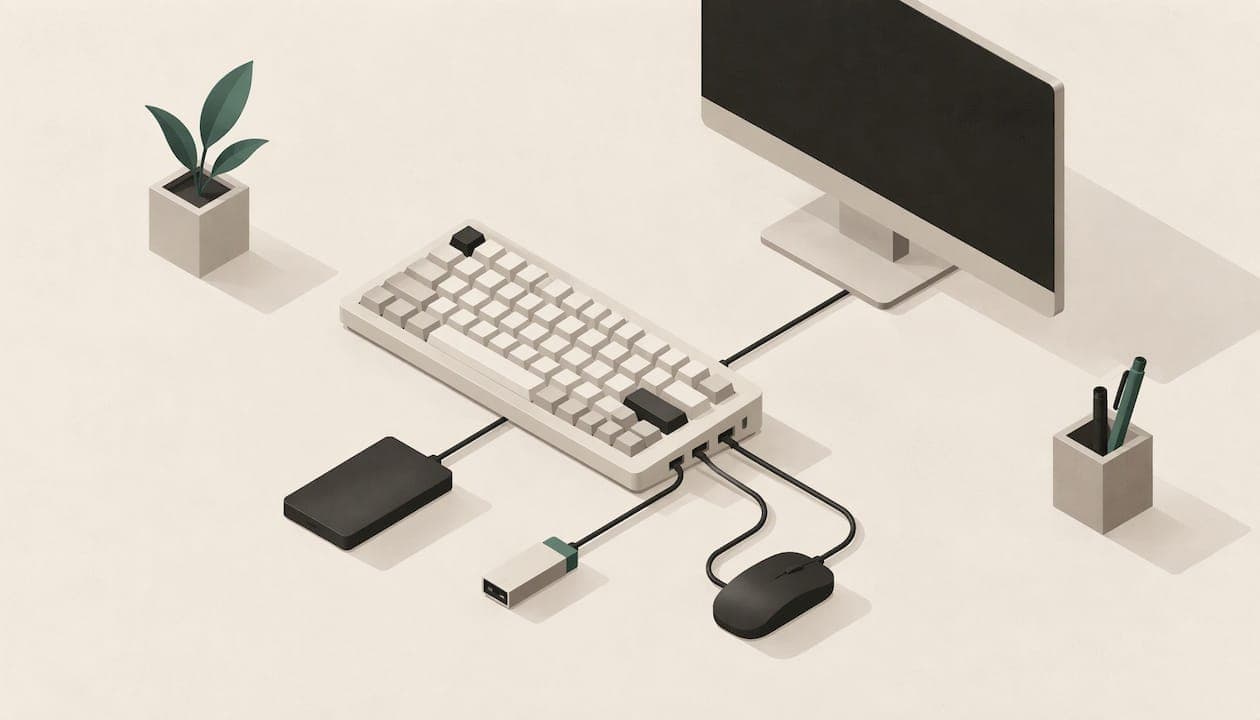
A keyboard with a USB hub gives you extra ports right where your hands are, so a mouse, headset, flash drive or charging cable plugs in at the keyboard instead of behind the computer. The main benefits are fewer cables, easier access, and fewer ports used on your computer. The catch is that a keyboard hub is best for low-power devices, and knowing that makes it much more useful.
This guide explains how keyboard hubs and passthrough ports work, what they are good for, what to leave out of them, and what to check when you shop. We build keyboards with an integrated USB-C port and hub, so we have a view on this, and we say where it comes in.
TL;DR
- A keyboard USB hub (also called passthrough) adds ports at your desk, so you reach devices without crawling behind the tower or laptop.
- It cuts cable clutter: one cable runs from the keyboard to the computer, and the mouse, headset or dongle plug into the keyboard.
- It suits low-power gear: mice, headsets, flash drives, receivers and phone charging. Keep power-hungry devices such as external drives on a direct port or a powered hub.
- Passthrough is not ergonomics. Layout, key spacing and hand position are separate questions, so judge them separately.
- Before buying, check the port type, what the manual says the port can power, and whether it is a true hub or a simple extension.
Table of Contents
- What a keyboard USB hub (or passthrough) actually is
- The benefits, one by one
- How power decides what you should plug in
- Does a hub slow down your keyboard or mouse?
- Can you plug a keyboard into a USB hub?
- What to check when you shop for a keyboard with a hub
- Who gets the most from a keyboard hub
- Perspective
- Setting up your desk around a keyboard hub
- Keyboard hub or a separate hub?
- A hub in a keyboard built for comfort
- FAQ
- Sources
What a keyboard USB hub (or passthrough) actually is
A keyboard with USB passthrough has one or more extra USB ports built into the body. Devices you plug in talk to the computer through the keyboard's single connection, and the port can carry both data and power. Explainers describe it as an additional port that lets you connect mice, flash drives, headsets or chargers.
You will see three names for roughly the same idea:
- Passthrough: the common term in keyboard shopping. It describes the extra port, not how it is built.
- USB hub: a keyboard with several extra ports sharing one upstream connection.
- Pass-through port: often a single port, sometimes fed by a second cable that runs back to the computer.
The difference matters. The usual designs are either a passive extension to a separate host-side USB plug or an internal hub, and the Deskthority USB reference separates the two, so a visible port on a keyboard is not automatically a full multi-port hub. A keyboard with two USB plugs on its cable is a common sign of the first type: one plug for the keyboard, one to feed the port. BGR's explainer on keyboards with two USB cables covers why makers do it and suggests checking the manual for which devices the port is meant for.
The benefits, one by one
Fewer cables on your desk
The simplest benefit is the one people notice first. Without a hub, every peripheral runs its own cable to the computer. With one, the mouse cable is a short hop to the keyboard, and a single cable travels to the machine. On a small desk or a laptop setup, that is a visible difference.
ErgoCanada's guide to keyboard and mouse interfaces makes the same point about hubs in general: when you run out of USB ports, a hub adds more, much as a power bar turns one wall outlet into several.
Ports within reach
Most desktop USB ports sit at the back of the case, and laptop ports sit on the sides, often awkwardly close to where a mouse should go. A keyboard hub puts a port at the back edge of the keyboard, centred in front of you. Plugging in a flash drive, a camera cable or a headset adapter takes a second, with no reaching.

Saving your computer's ports
Thin laptops often have two or three ports. Using one to connect the keyboard and having that keyboard provide the rest gives you room for a monitor, a charger or a drive. For small-form-factor desktops, the same logic applies.
A natural home for the mouse and headset
A mouse next to the keyboard is the textbook use. The mouse cable only needs to reach the keyboard's port, which keeps it short and out of the way. Headset dongles and wireless receivers work well here too. Wireless receivers close to your hands also tend to sit in a better spot than at the back of a tower under the desk.
Charging and quick connections
A hub port can supply power, so a phone, earbuds case or controller can top up while you work. Keep expectations modest: charging speed depends on what the port supplies. Check the specification for the port you are considering.
One cable to unplug when you move
If you bring your keyboard between a home office and a workplace, or between a desktop and a laptop, a hub keyboard can carry your mouse and dongle setup with it. Unplug one cable, plug it into the other machine, and the same peripherals come along.
How power decides what you should plug in
The hub itself is easy. The part that trips people up is power. A hub shares what it receives from the computer's port among everything attached to it.
Dell Canada's USB FAQ explains that an unpowered (bus-powered) hub draws all its power from the USB port it is connected to and suits low-power devices such as keyboards, while a powered hub is needed for devices that draw more, such as external hard drives or webcams. The USB reference on Deskthority adds that non-powered USB 2.0 hubs share 500 mA from the host among the connected devices and the hub itself.
In practice, that gives a simple sorting rule.
| Device | Good fit for a keyboard hub port? | Why |
|---|---|---|
| Wired mouse | Yes | Very low power and bandwidth |
| Headset or dongle | Yes | Low power |
| Wireless receiver | Yes | Low power, better placed near your hands |
| Flash drive | Yes | Short, light use |
| Phone or earbuds charging | Usually | Depends on the port's power output |
| External SSD or hard drive | Prefer a direct port | Peak draw can exceed what a shared port gives |
| Webcam, capture card, video gear | Prefer a direct port | Higher power and bandwidth needs |
This lines up with what hub makers say about their own products. Plugable's Canadian page for a bus-powered hub describes such hubs as great for low-power devices like wired keyboards and mice, flash drives and card readers, with 900 mA total on USB 3.0 systems and 500 mA on USB 2.0.
What to keep off a shared port
XDA Developers' piece on things not to plug into a hub recommends connecting external SSDs directly to the computer, because unpowered hubs may not supply enough power at peak draw, which can cause disconnections. The same article notes that hubs share finite bandwidth and power across their ports, so high-bandwidth video can be bottlenecked.
The practical habit is short: put input devices and small accessories on the keyboard, and put drives and video gear on a direct port or a separately powered hub. That is not a limit of the idea. It is just matching each device to the right connection, the way you would not run a kettle off a phone charger.
Does a hub slow down your keyboard or mouse?
Gamers ask this most. The short answer is that keyboards and mice are light users of USB. The USB reference at The Mechanical Keyboard wiki says HID devices like keyboards and mice do not need fast transfers and should work over USB 2.0. Speed also comes from other factors: UMATechnology's discussion of mouse ports says performance is governed more by polling rate, sensor, firmware, drivers and game timing than by the USB generation.
So plugging a mouse into a keyboard hub is a sound choice for most uses. If you care about competitive play, the sensible step is to look at the mouse's polling rate and your game settings first, since those have the larger effect.
Can you plug a keyboard into a USB hub?
Yes. In general a USB keyboard works through a hub; the one caveat is making sure there is enough power for each device, and hubs with their own power supply can handle more devices than passive ones. A keyboard draws very little, so it is among the easiest devices to run through a hub. This is also why a keyboard is a sensible place to put the hub: it is already the thing you plug in first.
What to check when you shop for a keyboard with a hub
Not every keyboard with a port is built the same way. Run through this list before you buy.
- Port count and type. One port is fine for a mouse. Two or more let you add a headset dongle and a drive. Note whether they are USB-A or USB-C, and match them to your devices or cables.
- Single cable or two. A single cable to the computer is tidier. A second plug is the usual sign of an extension design, so read the product page for how it is wired.
- What the port is meant for. Check the manual for the devices supported and whether the port suits high- or low-power gear.
- Wired or wireless. Hub ports need a wired connection to the computer. PC Gamer's wireless gaming keyboard roundup lists no USB passthrough for the wireless boards it covers. If a hub matters to you, our wired vs wireless keyboard guide walks through the trade-offs.
- Layout and comfort. A hub does not make a keyboard ergonomic. PCMag's 2026 ergonomic keyboard comparison treats passthrough as a separate specification from palm rests and comfort features, so weigh the two independently. Our ergonomic keyboard vs regular article covers the comfort side.
- Switch type and size. The hub should come with a keyboard you want to type on. These guides help you decide: mechanical vs membrane, linear vs tactile switches, and 60% vs 75% sizes.
Who gets the most from a keyboard hub
Laptop users at a desk. A thin laptop with few ports gains the most. One cable from the keyboard, and the mouse, headset dongle and flash drive have somewhere to go.
Gamers. A mouse and a headset receiver sit at your hands, with short cables and no reaching behind a case. Keep the capture card or streaming camera on direct ports.
Office and remote professionals. If you move between a docking station and a home desk, fewer cables to swap means a faster setup. Badge readers, security keys and dongles stay near the keyboard.
Customizers. If you swap switches and keycaps, you probably also care about how the desk looks. A hub keyboard helps keep cables tidy, and our hot-swappable keyboard guide explains the swapping side.
Perspective
We build keyboards for people who spend hours typing, so we think about everything that sits between you and the work. A cable you have to chase behind the computer is one more small interruption, and so is a mouse cable that tugs across the desk.
That is why our keyboards include an integrated USB-C port and hub. We designed it for the things you reach for all day: a mouse, a headset dongle, a flash drive. Putting them at the keyboard keeps the desk simple and keeps your hands where they are meant to be.
The hub works alongside the rest of the design. The Matrix-Dvorak layout, straight-column key grid and hand-centred letter placement are there to reduce finger movement and typing fatigue. The hub does not do that job, but it supports a tidier, calmer workspace around it.
Our advice is to use the hub for everyday low-power devices and keep large drives on a direct port. Matching each device to the right connection is how you get the full value of the hub.
Joshua
Setting up your desk around a keyboard hub
A few habits make the setup work well from the first day.
- Plug the keyboard into a port on the computer itself, not into another unpowered hub. Chaining hubs adds more sharing of the same power.
- Start with the mouse and one dongle. Add other devices one at a time and confirm each is recognised.
- Route the cable once. Decide where the single cable to your computer will run, and tuck it along the back edge of the desk.
- Keep storage direct. Plug external drives into a computer port. If you need several storage or video devices, a separately powered hub is the right tool for them.
- Mind the Plugable-style warning. Plugable's Canadian product page notes that when bus-powered devices ask for more power than the host can give, any USB device on the computer may suddenly disconnect. Light devices on the hub avoid this entirely.
Keyboard hub or a separate hub?
Both are useful, and they solve slightly different problems. A separate powered hub suits a desk with drives, a webcam, a microphone and more. A keyboard hub suits the small stuff within arm's reach. Many people use both: the powered hub for the heavy devices behind the monitor, and the keyboard's ports for the mouse and a dongle.
If your goal is a cleaner, faster everyday setup, a keyboard with a built-in hub gets you most of the way with one fewer thing to buy and one fewer box on the desk.
A hub in a keyboard built for comfort
If you want the hub as part of a keyboard designed for comfort, take a look at KeBe. Our keyboards are assembled by hand in Canada and combine the Matrix-Dvorak layout with low-profile switches, hot-swappable keys, per-key RGB lighting, an integrated USB-C port and hub, a screwless nylon case, a typing trainer and autocorrect, with dual-spacebar designs on selected models. Browse the current models, and pre-order or join the waitlist for upcoming ones, in the KeBe Canadian store.

If you are still comparing keyboard styles, our guides to low-profile switches, low profile keyboards and short travel keyboards help you narrow the field.
FAQ
What is the point of a USB hub on a keyboard?
It gives you extra ports at your desk, so a mouse, headset dongle, flash drive or charging cable connects at the keyboard instead of at the back of the computer. That means fewer cables running to the machine and fewer computer ports used. It works best for low-power devices.
Is USB passthrough the same as a USB hub?
Not always. Passthrough usually means an extra port on the keyboard, and it can be a simple extension of a second plug or a true internal hub. The Deskthority USB reference describes both designs. Read the product page to see how many ports there are and how they connect.
What should I not plug into a keyboard hub?
Keep high-draw and high-bandwidth devices on a direct computer port or a powered hub. That includes external SSDs and hard drives, as well as video gear such as capture cards. Mice, headset dongles, receivers and flash drives are good matches.
Can I use a wired keyboard through a hub?
Yes. A wired USB keyboard generally works through a hub, as it draws very little power. The main point is enough power overall, and a hub with its own power supply handles more devices than a bus-powered one.
Does a keyboard hub add input lag?
For keyboards and mice, there is no reason to expect it. These devices need little bandwidth, and mouse responsiveness depends more on polling rate, sensor and settings than on the USB port generation.
Sources
- What Is USB Passthrough on a Keyboard
- USB - Deskthority wiki
- Why Do Some Keyboards Have 2 USB Cables? (BGR)
- Guide to Ports and Plugs (ErgoCanada)
- USB ports FAQ (Dell Canada)
- Plugable Rotating 4-Port USB 3.0 Bus Powered Hub
- 5 things you shouldn't plug into a USB hub (XDA Developers)
- USB - Keyboard Wiki
- Are There Benefits to Plugging a Mouse Into USB 3.0? (UMATechnology)
- Can I connect wired keyboard to a USB hub? (SuperUser)
- The Best Ergonomic Keyboards for 2026 (PCMag UK)
- Best wireless gaming keyboard in 2026 (PC Gamer)