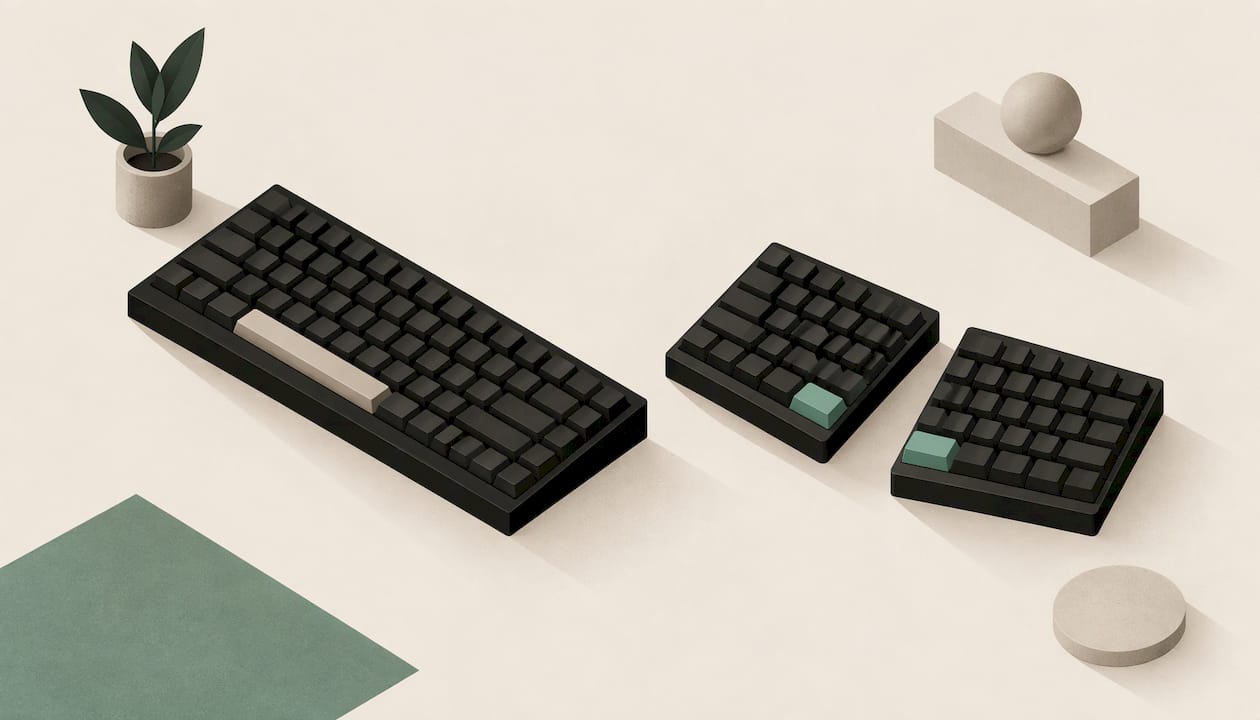
A split keyboard is the better choice if your wrists bend outward as you type, your shoulders feel pinched, or you want to place your hands freely on the desk. A standard keyboard is the better choice if you move between many computers, need a compact setup, or have no discomfort to fix. The research backs the first group more than the second, and the cost of switching is smaller than most people expect: a couple of hours of practice, not weeks of frustration.
This guide compares the two designs on posture, speed, desk space and everyday use. It also covers gaming, and what to do if you are not sure a split layout is for you.
TL;DR
- A split keyboard divides the keys into two halves so your arms can angle inward. A standard keyboard keeps them in one straight block.
- In a study of 90 experienced office workers, correctly set up split keyboards brought wrist angles to within 5° of neutral, from about 12° on a conventional board.
- Speed usually recovers fast: in one study, typists matched their standard-keyboard performance after about 2 hours of practice.
- Canada's occupational health body says there is no single best keyboard, so the right pick depends on your body, desk and work.
- Choose split for comfort and posture. Choose standard for portability and simplicity.
Table of Contents
- What actually separates a split keyboard from a standard one
- Wrist and forearm posture: what the evidence shows
- Typing speed and the learning curve
- Desk space, layout and customization
- Gaming and everyday typing
- Split or standard: how to decide
- How to try a split keyboard well
- Our perspective
- Try a KeBe keyboard
- FAQ
- Sources
What actually separates a split keyboard from a standard one
A standard keyboard is one rectangular block. The letter keys sit in a diagonal stagger, and your forearms have to angle in to meet the home row. For many people that means the wrists bend outward, towards the little finger.
A split keyboard divides the layout down the middle. According to AbilityNet's factsheet on keyboard alternatives, ergonomic keyboards come in a few forms:
- Fixed curve: one piece, with the two halves angled away from each other.
- Hinged: halves that pivot, so you can adjust the angle.
- Fully separate: two halves joined by a wire.
- Contoured: finger keys sit in two cupped areas at shoulder width, with keys in between for the thumbs.
The common thread is that your hands no longer have to sit shoulder-to-shoulder in front of your body. Each half can follow the natural line of the arm.
The number of keys is a separate question. A split board can be full size or very small. A standard board can be full size, 75%, 60% or smaller. If you are weighing size as well, our guide to 60% vs 75% keyboards covers that decision.
Wrist and forearm posture: what the evidence shows
The strongest argument for a split keyboard is wrist angle. The sideways bend of the wrist toward the little finger is called ulnar deviation, and it is one of the things ergonomists try to reduce.
In a study of 90 experienced office workers, Marklin, Simoneau and Monroe found that commercially available split keyboards, when set up correctly, reduced mean ulnar deviation of both wrists from 12° to within 5° of a neutral position. The authors described this as a substantial reduction in one occupational risk factor for work-related musculoskeletal disorders.
A 1996 study of a chair-mounted split keyboard found a similar result for ulnar deviation. It also noted that more participants sat fully back in the chair with relaxed shoulders. It did not find a reduction in wrist extension, which is the upward bend of the wrist. That is a useful reminder: the split design addresses one specific angle, and your keyboard height, tilt and wrist position still matter.
A systematic review of 12 controlled trials, with 396 participants, reported moderate to high evidence supporting an adjustable split or slanted keyboard compared with standard and virtual keyboards.

What Canadian guidance says
The Canadian Centre for Occupational Health and Safety (CCOHS) recommends considering a split keyboard if you have a broad chest or want to reduce ulnar deviation. Dividing the keyboard lets your arms and wrists point inward without bringing your elbows as close to the centre.
The same page is candid about the limits: there is no universally agreed best keyboard design, and users should try different models. The goal is a neutral wrist, aligned straight with the forearm and not bent or extended in any direction.
HealthLink BC goes a step further in its advice on preventing carpal tunnel syndrome. It says many people benefit from a split, V-shaped keyboard and suggests trying one for at least a week, since one style may work well while another does not. It also advises:
- keeping your hands and wrists in line with your forearms;
- holding your elbows close to your sides;
- not resting on the heel of your hand or your wrist;
- taking short breaks every 10 to 15 minutes.
If you already have numbness, tingling or persistent pain in your hands or wrists, see your doctor or a physiotherapist. A keyboard is one part of a wider setup, and a professional can assess your desk, chair and technique.
Pain relief is not guaranteed
One controlled study of 18 experienced typists, by Smith and colleagues, found that a split adjustable keyboard gave advantages for reduced wrist and hand pronation, but no difference in musculoskeletal pain between the two keyboards over the study period. In plain terms: a split design improves posture measures reliably, but it is one tool among several. Break habits, chair height and monitor position all count too.
Typing speed and the learning curve
The most common worry is that a split keyboard will make you slow. The evidence says the dip is real but short.
- In the Smith et al. study, after 2 hours of orientation and practice, 18 experienced typists performed as well on a split adjustable keyboard as on a standard flat one.
- A CDC-hosted learning-curve study found that people using a split fixed-angle keyboard typed within 5% of their baseline QWERTY speed by the fifth trial.
- The 1996 chair-mounted split keyboard study did record slower typing than on the conventional board, though accuracy was unaffected.
Taken together, expect to be a little slower in the first sessions, then close to your old pace within days of regular use. Results will vary with your habits. If you type with one hand crossing the middle, for example the right hand reaching for the letter B, a split board will expose that habit quickly. Fixing it is part of the adjustment.
If you want to speed up the transition, deliberate practice helps more than simply carrying on with work. Our piece on a typing trainer keyboard explains how to practise on a layout that fits you. And if the real bottleneck is how much you write rather than how you type it, it is worth looking at the optimal dictation pace for reports.
Desk space, layout and customization
A standard keyboard is predictable. Every desk, laptop dock and office has room for one, and every colleague can sit down at yours without confusion.
A fully split keyboard trades that predictability for flexibility. As How-To Geek explains, it is essentially an ordinary keyboard cut in half and spread apart, usually joined by a wire. You can place the halves wherever suits your shoulders, and the space between them can hold a mouse, a notebook or a coffee mug.

There is another size point. CCOHS suggests considering a shorter keyboard, around 35.6 cm (14 inches) long instead of the regular 45.7 cm (18 inches). That reduces overreaching and leaves more options for mouse placement. Dropping the number pad is the simplest way to get there, whether the board is split or not.
CCOHS also mentions tented keyboards, where the halves are raised in the middle, for people with conditions such as epicondylitis, to help reach a neutral arm position. If you have a diagnosed condition, your physiotherapist or occupational therapist is the right person to say how much tilt suits you.
Layout tweaks go beyond the split itself. Straight-column key grids, thumb clusters and hand-centred letter placement all change how far your fingers travel. That is where the choice between split and standard overlaps with the choice of layout, which we cover below.
Gaming and everyday typing
For gaming, the keyboard's job is quick, reliable key presses and a comfortable resting position for the left hand. Neither a split nor a standard design is automatically faster at registering a press. Switch type, key travel and how the board connects matter more. Our guides to optical vs mechanical keyboards and short travel keyboards cover those.
What a split layout changes for gamers is posture and mouse space. With the halves apart, your left hand can sit where your game needs it while your mouse arm has room to move. Gamers who play long sessions often care about that more than any difference in raw response.
For everyday typing, the question is whether you hold the same position for hours. If you do, the posture advantages above apply. If you type in short bursts on shared machines, a standard board's familiarity is a real convenience.
Wired or wireless is the other practical question for desk setups with two halves. We compare them in wired vs wireless keyboards.
Split or standard: how to decide
| Your situation | Better fit | Why |
|---|---|---|
| Wrists bend outward as you type | Split | Reduces ulnar deviation, per the 90-worker study |
| Broad shoulders or chest | Split | CCOHS suggests it so the elbows need not close in |
| Long daily typing sessions | Split, or an ergonomic board | Easier to keep a neutral posture |
| Several shared or hot-desk machines | Standard | Same board everywhere, no relearning |
| Tight desk or travel | Standard (compact) | Smaller footprint |
| Limited desk, but want comfort | Compact ergonomic board | Fewer keys, shorter reach |
| No discomfort, short typing sessions | Standard | Little to fix |
For a wider look at the category, see our comparison of an ergonomic keyboard vs a regular one and what ergonomic mechanical keyboards really help with.
How to try a split keyboard well
- Give it at least a week. HealthLink BC suggests a week as a minimum trial, and the research above suggests the speed dip fades within hours of practice.
- Set the angle first. Aim for hands, wrists and forearms in a straight line. Adjust the halves until your wrists stop bending sideways.
- Keep your elbows near your sides. If you reach out, bring the keyboard closer.
- Float your hands. Avoid resting on the heel of your hand or your wrist while typing.
- Take short breaks. HealthLink BC recommends one every 10 to 15 minutes.
- Retrain the crossing habit. Use the correct hand for each key, and practise with a typing trainer for a short session each day.
- Change one thing at a time. Switching keyboard, layout and desk height in the same week makes it hard to tell what helped.
Our perspective
We build keyboards because we think the old layout asks your hands to do unnecessary work. The staggered, diagonal grid on a standard board dates from typewriters, and it forces your fingers to travel and your wrists to compensate.
That is why we pair a straight-column key grid with hand-centred letter placement in the Matrix-Dvorak layout. Less finger movement means less effort per word. Our dual-spacebar design gives both thumbs a job, and autocorrect catches the typos that come with learning any new layout.
Comfort is also personal. The research is clear that posture matters and that a neutral wrist is the goal, and it is equally clear that no one design suits everybody. So we make our keyboards adjustable to you: hot-swappable switches, low-profile keys, per-key RGB lighting, a built-in USB-C hub and a screwless nylon case, assembled by hand in Canada.
If you are moving away from a standard board, start with what bothers you most: wrist angle, reach, or the number of keys you never use. Then choose the layout that fixes that.
Joshua
Try a KeBe keyboard
If you want a keyboard designed around less finger movement and a more comfortable typing position, look at what we make. Our mechanical KeBe v2 and slim KeBe Lite use the Matrix-Dvorak layout, low-profile hot-swappable switches, a dual spacebar, autocorrect and a typing trainer, and every board is assembled by hand in Canada. Pre-orders and a waitlist are available for upcoming models.

Browse the range in the KeBe Canadian store, or read how a split spacebar keyboard works and who it suits. If you are comparing materials, our guides on mechanical vs membrane keyboards and low profile keyboards can help you narrow it down.
FAQ
Is a split keyboard better than a standard one?
For wrist posture, the evidence favours split designs: correctly set up boards reduced ulnar deviation to within 5° of neutral in one 90-worker study. It is not better for everyone, though. CCOHS notes there is no universally best design, so the better keyboard is the one that keeps your wrists neutral and fits your desk and work.
How long does it take to get used to a split keyboard?
In one study, experienced typists matched their standard-keyboard performance after about 2 hours of orientation and practice. In another, typists were within 5% of their baseline speed by the fifth trial. Plan for a week of regular use before judging it, which is also what HealthLink BC suggests.
Will a split keyboard cure wrist pain?
No keyboard can promise that. One controlled study found posture benefits but no difference in musculoskeletal pain between split and standard boards. If you have ongoing pain, numbness or tingling, see your doctor or a physiotherapist, and treat the keyboard as one part of a good setup.
Do split keyboards take up more desk space?
A fully split board can be placed more freely, and the gap between the halves can hold a mouse or a notebook. A standard full-size board is a single wide block. Choosing a shorter keyboard without a number pad, as CCOHS suggests, frees up mouse space on either type.
Is a split keyboard good for gaming?
A split layout does not make key presses register faster, since switch type and key travel matter more. What it can offer is a more comfortable hand position and more room for your mouse arm during long sessions.
Sources
- AbilityNet: Keyboard and mouse alternatives and adaptations
- CCOHS: Office Ergonomics, Keyboard Selection and Use
- HealthLink BC: Wrist Care, Preventing Carpal Tunnel Syndrome
- Marklin, Simoneau and Monroe (1999): Wrist and Forearm Posture from Typing on Split and Vertically Inclined Computer Keyboards
- Hedge and Shaw (1996): Effects of a Chair-Mounted Split Keyboard on Performance
- World Physiotherapy: Alternative ergonomic keyboard designs and how they impact office work
- Smith et al. (1998): Effects of a split keyboard design and wrist rest
- CDC: Analysis of Alternative Keyboards Using Learning Curves
- How-To Geek: Why Your Next Keyboard Should Be Fully Split